13
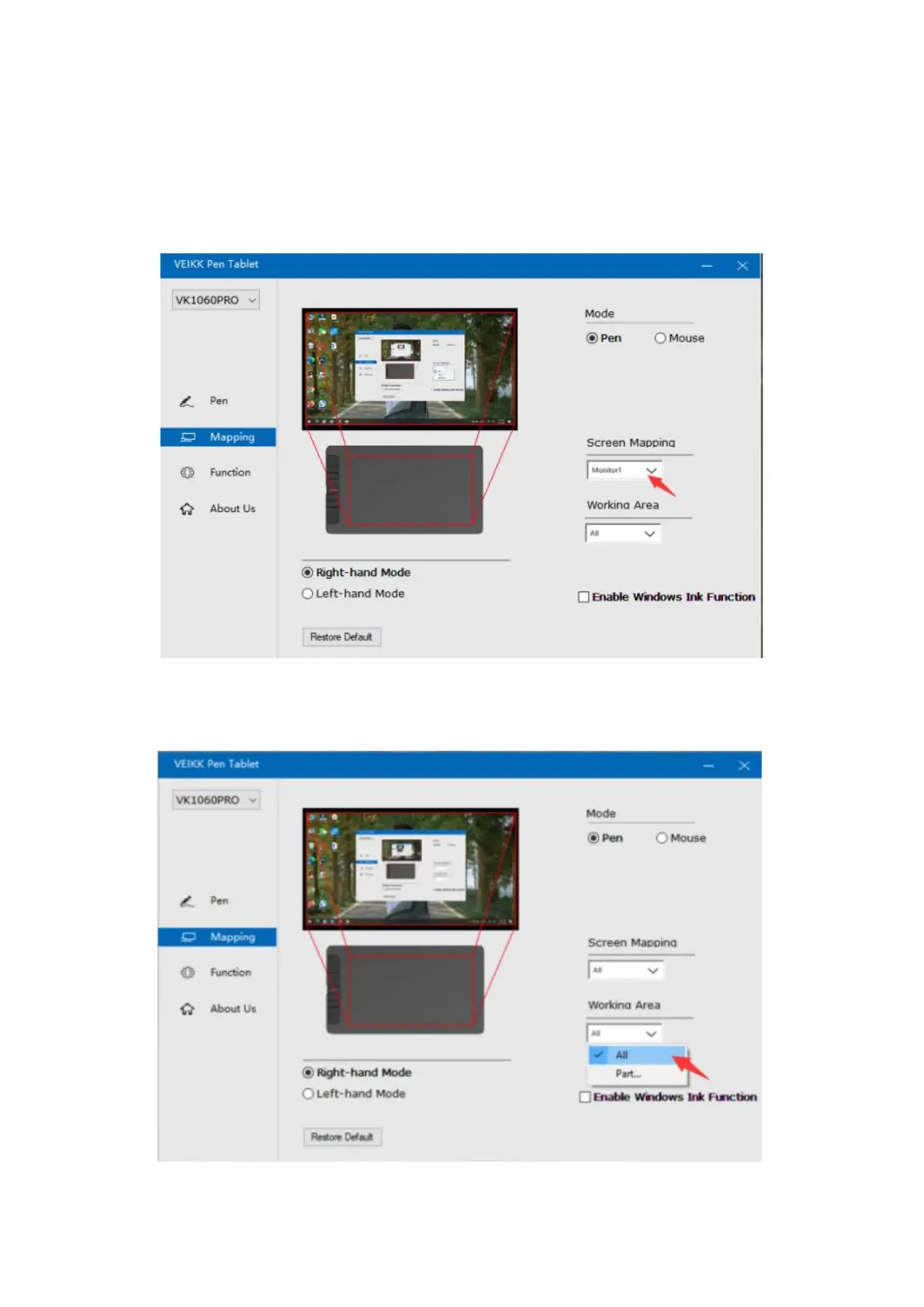
Monitor1: If more than one monitor is in use and you are in extended mode, you need
to choose the related monitor on the driver interface which you are going to map to. If
your monitors are in mirror mode (All monitors display the same content), the table
maps to the entire space on each monitor and the screen cursor is displayed on each
monitor simultaneously.
Working Area
All Area: the entire active area of the table. This is the default setting.


 To Next Page