16
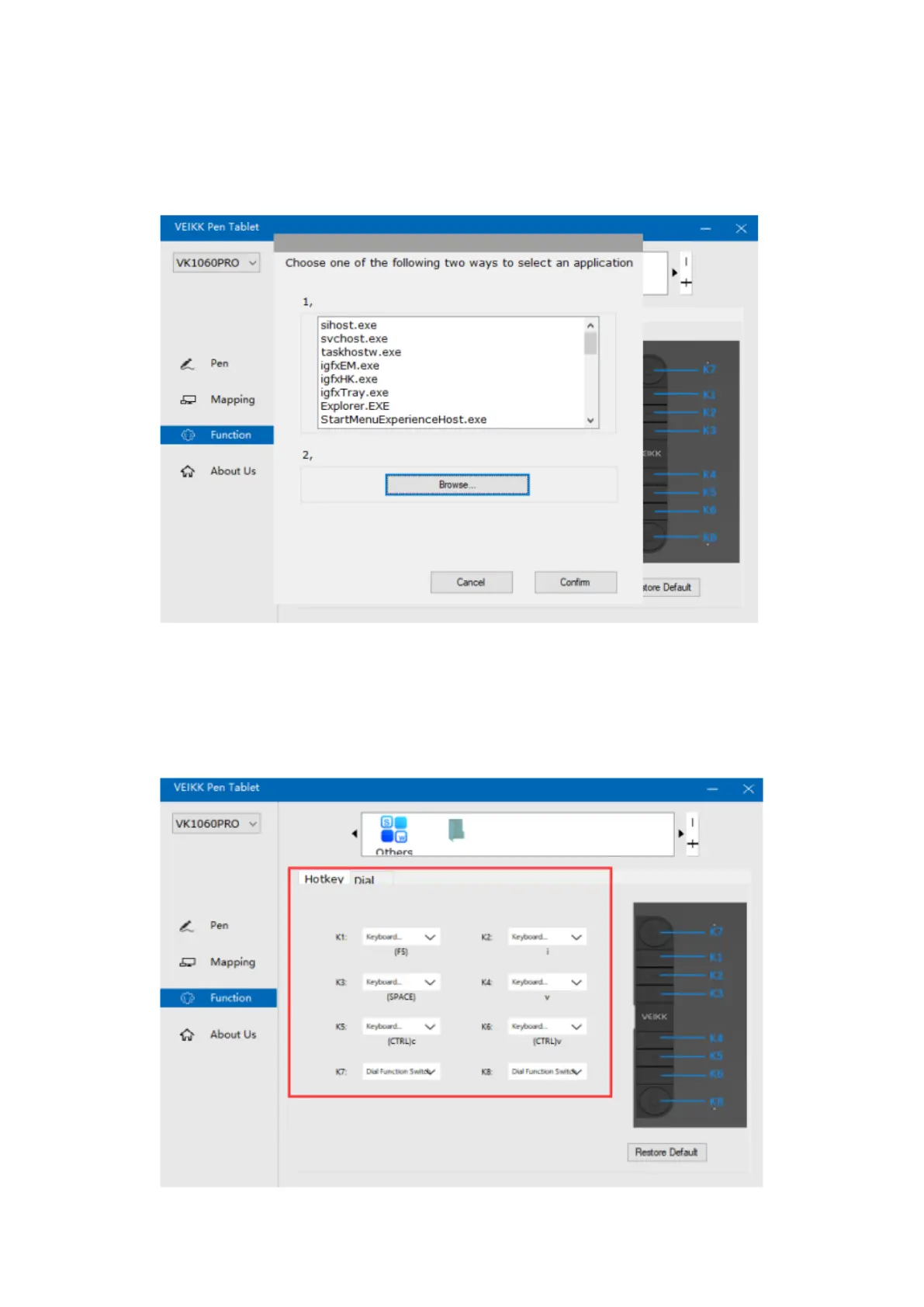
“+”: Click “+” to add softwares, you have two ways to select an application.
1. Choose from the dropdown. (need to open the software firstly)
2. Choose from the browser.
“-“ Click “-“ to remove the softwares you added before.
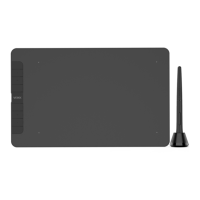
Hotkey
Redefine Hotkey: Click on the title of the button. A dropdown menu will appear with a
list of tool options. Choose the one you want to use.


 To Next Page