Need help?
Do you have a question about the veise KS02A and is the answer not in the manual?
Lists all components included with the keypad digital deadbolt for installation.
Verifies door preparation and measures critical dimensions for compatibility.
Guides the installation of the latch mechanism and the strike plate on the door.
Instructions for mounting the exterior keypad and associated components.
Details on attaching the interior part of the lock, including battery housing.
Teaches the lock the door's orientation for correct operation of the bolt.
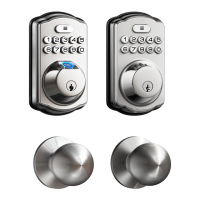
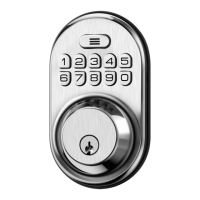
Visual identification of exterior and interior components of the smart lock.
Explains basic operations for locking and unlocking the door from inside and outside.
Clarifies key terms like Master Code, Auto Lock, Silent Mode, and Vacation Mode.
Details valid formats and restrictions for Master and User Codes.
Step-by-step guide for changing Master Code, adding users, and fingerprints.
Outlines default settings and provides instructions for resetting the lock.
Addresses common issues encountered during installation and operation.
Provides crucial safety guidelines and usage precautions for the deadbolt.
 General
| Material | Zinc Alloy |
|---|---|
| Color | Black |
| Connectivity Protocol | Bluetooth |
| Power Source | Battery |
| Battery Life | 12 months |
| Unlock Methods | Bluetooth, Keypad, Mechanical Key |

 To Next Page