o The adjustable bed is now ready to be used.
Synchro Mode in case of a double bed
This motors can also be connected to remote controls TOPLINE in a ‘synchro’ way;
in the Synchro Mode both bed parts will be adjusted at the same time by one single
remote. This by using the optional Synchro Cable.
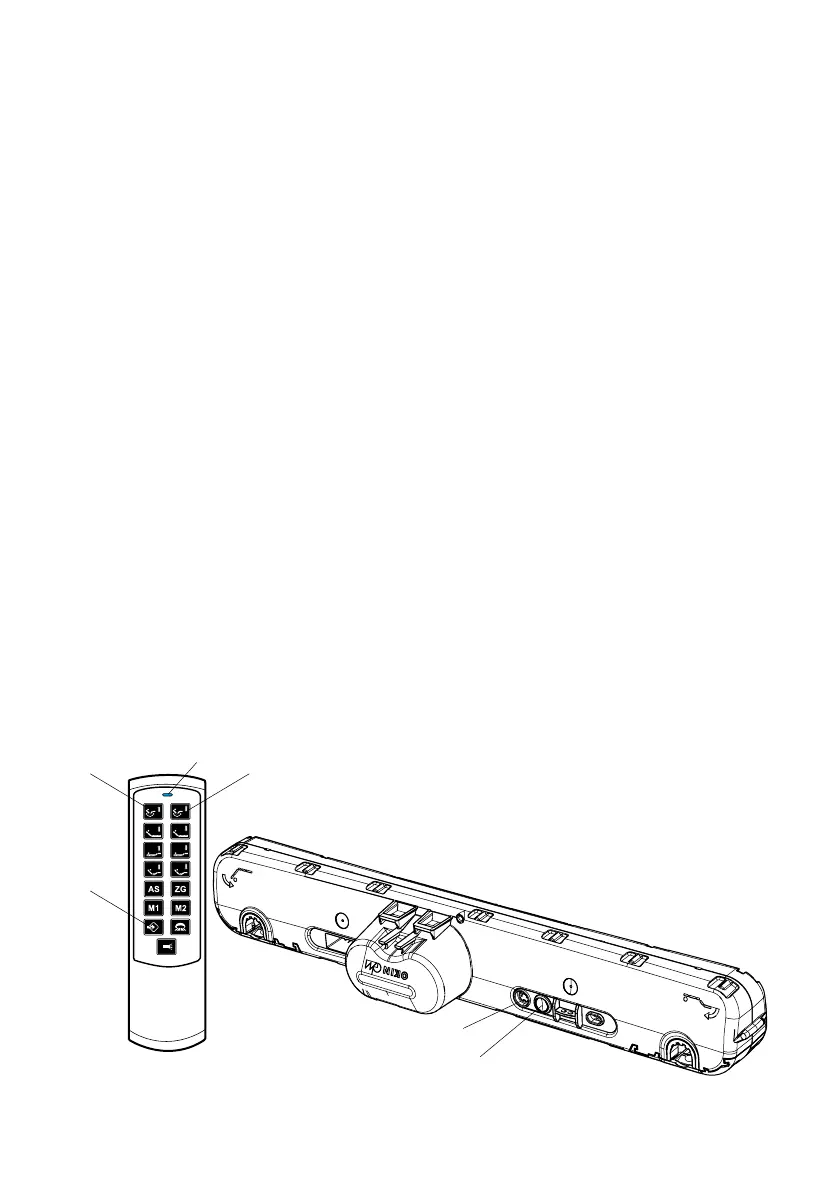
• Connect the synchro cable (X-cable - male socket) to both motors. This in the
7-pole socket, next to the connecting button A.
• The synchro function is activated by default after connecting the Synchro
Cable.
Programming MEMORY positions
• You can store 2 positions of the bed in the memory using the M1 and M2
keys.
• Put the bed in a position you want to store.
• Press programming key D until the blue LED at the top lights up brightly (after
3 sec.).
• Now press M1 or M2 to store the current position.
• The white LED on the motor flashes 2 x and will go out. The position was
stored.
PROBLEM CASE: Reset of the receiver (factory settings)
If problems occur during the installation of the motor and the remote controls you may
reset the receiver and repeat the connecting procedure:
HOW TO RESET THE RECEIVER:
• Press 4 x the connecting button A of the motor until the white LED light goes
on, afterwards please press a 5th time.
• The white LED flashes 2 x and will go out. The receiver went back to the
original factory settings.
• The connecting procedure between remote and receiver can now be executed
as described above.
**synchro
A.
LED +
knop/boutton/button/Taste
1.
D.
2.
LED
** Only remove the cap cover when using the synchro cable!


 To Next Page
 Loading...