Page 6
Walk Mode
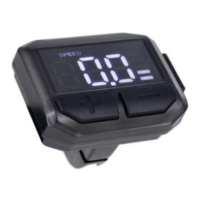
Press and hold the button to engage the Walk Assist function. The
icon will appear in the display and the bike will assist to 6 kph. Release the
button to exit the Walk Assist mode.
The walk assist feature is not a riding mode. It is designed to assist with
walking the bike up an incline to a maximum of 6 kph.
Power Assist Level Adjustment
There are 5 pedal assist settings on this bike, level 1 providing the lowest
level of assisted power and level 5 the highest. Simply push the plus or
minus buttons to change between the levels.
Light Operation (for models equipped with lights as standard)
Press and hold the button to turn on, and off, the lights and display
backlight.
Battery Charge Indicator
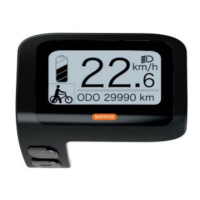
When the battery charge is above 70%, all 4 bars will display in the
indicator. As charge drops, each bar will turn off in order. If the battery
charge is below 15%, there will be no bars visible.
Trip Data Clearing
To reset the Trip Time and Trip Distance, press and together for
2 seconds. Now briefly press and the data will be cleared.


 To Next Page