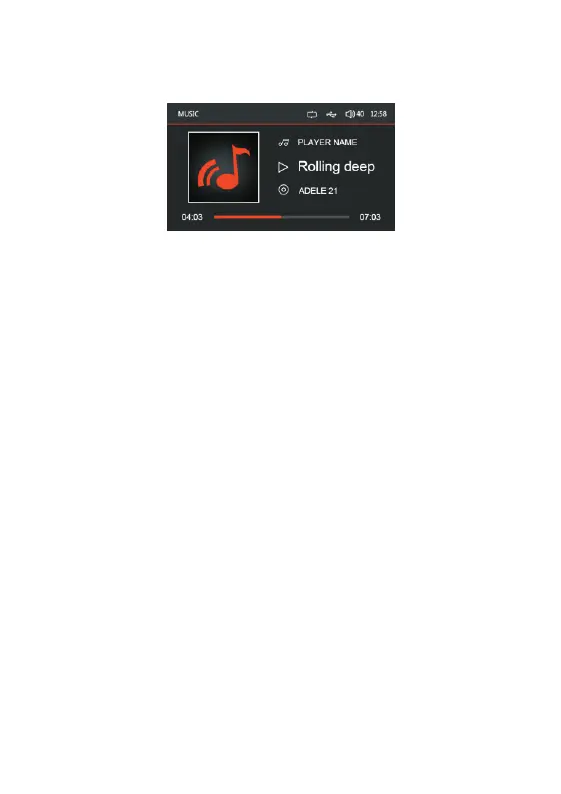
MP3 / WMA Operation
When an USB stick is plugged in, VX565D start to play the audios from the first
location.
If user want to play MOVIE/PHOTO on the USB stick, press MENU then enter
MEDIA selection, MUSIC/MOVIE/PHOTO will be displayed on LCD screen,
rotate the VOL Knob to make choice.
Pause – To pause the audio/video, press the >II button once.
Press the >II buttonagain to resume playing.
Track Select – Press >> to skip to the beginning of the next song.
Press << to skip to the beginning of the previous song.–
Short press VOL Knob and the song list will be displayed on the screen, rotate
the Vol Knob to select the desired song and press 'VOL' to confirm the selection.
Rotate the Volume Knob to adjust volume, when the volume level interface is
still on display, quick press the Volume Knob to enter settings for BAS, MID,
TREB, BAL, FAD, SUB, LOUD OFF, EQ in sequence, then rotate the Volume
Knob to set the required level. Use MENU/RETURN button to quit setting, or
wait for time out to return to the previous status.
Fast Forward and Reverse – Press and hold >> or << to fast forward or reverse
a track.


 To Next Page