
 Need help?
Do you have a question about the VELIT 2000R and is the answer not in the manual?
Explains the meaning of warning, caution, and notice indicators used in the manual to highlight hazards.
Provides essential safety guidelines for installation, operation, and maintenance, emphasizing qualified personnel and authorized accessories.
Guides on selecting an appropriate roof location, considering slope, clearance, and obstructions for unit installation.
Details on cleaning the surface and applying sealant to the gasket and roof opening for a proper seal.
Instructions on how to lift and position the air conditioner unit into the prepared roof opening.
Steps for using tie rods and nuts to securely fasten the unit to the mounting brackets, with a caution against overtightening.
Guidance on connecting the unit to the power cable, including fuse box placement and connection to the battery.
Instructions for attaching the interior decor panel to the roof using provided screws and washers.
Overview of the control panel buttons and their functions for operating the air conditioner.
Information on using the remote control, noting that some functions may not apply to this model.
How to change the temperature display unit between Celsius and Fahrenheit using the remote control.
Procedure to adjust low voltage cut-off and recovery settings using the control panel buttons.
Explains how the unit automatically shuts off or turns on based on supplied voltage levels.
Lists common error codes displayed by the unit and their corresponding sensor or system faults.
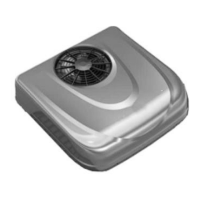
This document describes the VELIT 2000R Rooftop DC Air Conditioner, an appliance designed for cooling in recreational vehicles or similar environments. It is a rooftop-mounted unit that operates on direct current (DC) power.
The VELIT 2000R is a rooftop air conditioner intended to provide cooling. It features multiple operating modes, including Sleep, Eco, Cooling, and Turbo, allowing users to select the desired level of cooling and energy efficiency. The unit is controlled via a control panel on the device itself and can also be operated using a remote control. It incorporates various safety features, such as low-voltage and over-voltage protection, and includes error codes to help diagnose potential issues.
The unit is designed to fit over an existing 14-1/4" x 14-1/4" roof opening. If installing in a new location, the roof slope must be less than 15 degrees, and a clearance of at least 10" from the roof edge is required. The roof must be capable of supporting the weight of the unit and two installers. Proper wiring involves routing a 6AWG power cable to the roof opening with at least six inches of slack. For cables longer than 10ft, users should refer to the NEC (National Electric Code) for proper wire sizing (12V 60A). The installation process involves attaching a sealing gasket to the roof opening, placing the unit, securing it with mounting brackets and M8 tie rods, connecting the wiring, and finally installing the decor panel. It is crucial to ensure all power supplies to the vehicle (battery, generator, shore power) are disconnected before installation to prevent electrical shock.
The control panel on the unit features buttons for:
The remote control offers similar functionalities, including ON/OFF, mode switching, fan speed adjustment, temperature adjustment, and dedicated buttons for Sleep, Eco, Cooling, and Turbo modes. It also includes a "View voltage" button and N/A buttons for functions not applicable to this model (HEAT, OΣ, SSS).
The unit has an adjustable low voltage protection feature. By default, it will automatically shut off if the supplied voltage drops below 10.5V, indicated by a red light. It will automatically restart when the voltage rises above 12V. This cut-off and recovery voltage can be edited by long-pressing the Mode Switch on the control panel and using the Fan Speed +/- buttons to adjust the cut-off voltage, and Temperature +/- buttons to adjust the recovery voltage.
If the supplied voltage exceeds 18V, the unit will automatically turn off, and a high-voltage red light will illuminate. It will automatically restart once the supplied voltage drops below 18V.
The device incorporates multiple sensors to detect and display error codes on the unit's display panel if an issue arises. These error codes help in diagnosing problems and include:
Users are advised to contact customer service when an error code is displayed. The manual also provides general safety messages, including warnings against modifying the product, allowing unsupervised children to operate it, using unauthorized accessories, or operating it in flammable environments. It also advises against using the unit when ambient temperature is below 40°F to prevent frost and warns against power washing or using detergent to clean the unit.
 General
| Brand | VELIT |
|---|---|
| Model | 2000R |
| Category | Air Conditioner |
| Language | English |

 To Next Page