5 | Page
●
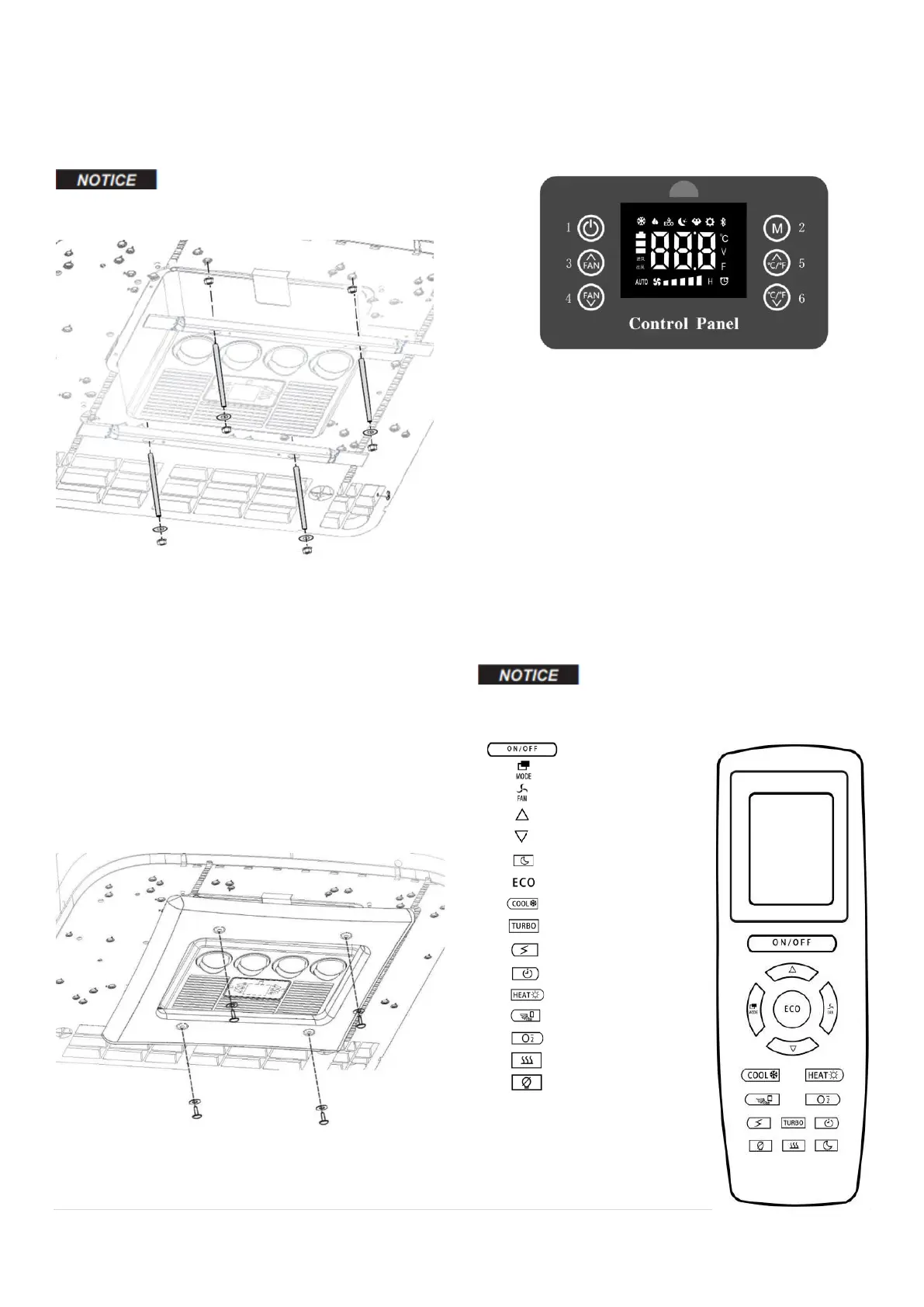
Use the M8 tie rods as guidance, place the
mounting brackets, and secure the brackets with
provided washers and nuts. Cut the bolt to desired
length if needed.
DO NOT OVERTIGHTEN!
4.5 Connect Wiring
●
Connect the unit to the power cable. On this
end, the cable should have fuse boxes on both
positive and ground.
●
On the other end of the power cable, connect
to the battery. On this end, there is only one fuse
box on positive.
4.6 Install the Decor Panel
●
Use the provided self-tightening screws and
washers to secure the decor panel to the roof.
5.
OPERATING INSTRUCTIONS
5.1 Control Panel
1 - Power ON/OFF: short press to turn on the unit.
Long press three seconds to turn off the unit. Long
press ten seconds to reset to factory default
setting.
2 - Mode Switch: short press to switch between
operating modes:
From low to high output: Sleep, Eco, Cooling, Turbo
3 - Fan Speed +: Increase fan speed
4 - Fan Speed -: Decrease fan speed
5 - Temperature +: Increase setting temperature
6 - Temperature -: Decrease setting temperature
5.2
Remote Control
This is an off-the-shelf remote. Some
functions/buttons do not apply to this model.
:
Turn ON/OFF
:
Switch between modes
:
Change fan speed
:
Increase temp
:
Decrease temp
:
Sleep mode
:
ECO mode
:
Cooling mode
:
Turbo mode
:
View voltage
:
Timer
:
N/A
:
N/A
:
N/A
:
N/A
:
N/A


 To Next Page