8
Connection & use
15. Connection & use
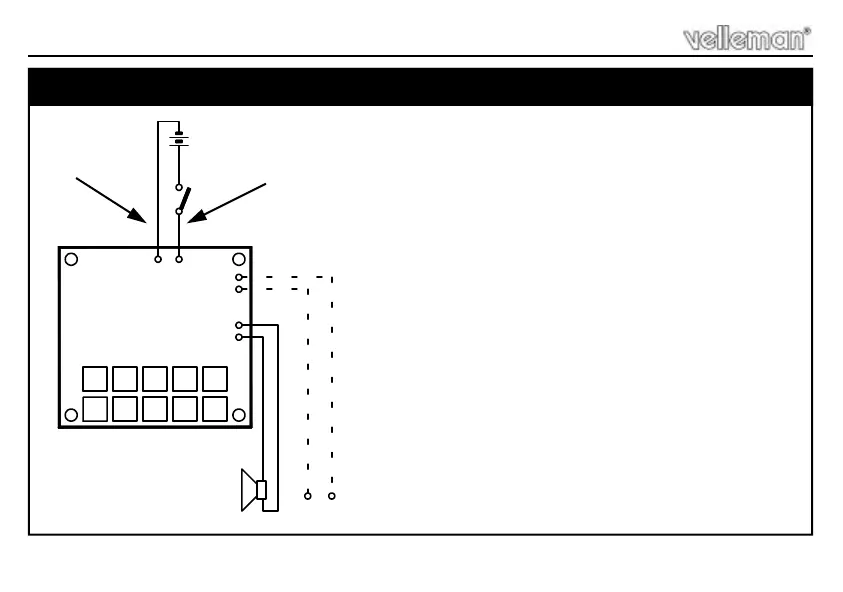
Fig. 1.0
+
-
-
+
-
+
LS
OUT
9V
LINE
OUT
-+
LOUDSPEAKER
8 OHM / 1 WATT
-
+
9V
BATTERY
K4401
ON/OFF
Black
Red
Turn the potentiometer to its centre position.
Connect a loudspeaker (8 ohm / 1Watt min.) between the points
LS.
Connect a power supply (9VDC) or a 9V battery between the
points +9V and -9V.
Pressing the different push buttons now causes the respective
effects to be produced.
ATTENTION: With some of the effects (e.g. sirens, car engine)
it's necessary to keep the push button pressed. The speed of
the effects can be changed (optimized) by turning the
potentiometer.
The OUT output allows you to extra amplify the sounds or to
connect them to a mixing panel. In this case you possibly can
disconnect the loudspeaker.
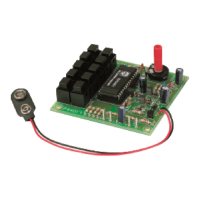
Thanks to the position of the push buttons and of the
potentiometer, this circuit can be built into a plastic housing or
the pcb be mounted behind a panel very easily.
Loudspeaker & on/off switch are not included !


 To Next Page