LABPS3005D
V. 05 – 27/05/2015 4 ©Velleman nv
4. Features
dual LED display for voltage and current
coarse and fine adjustments of voltage and current
protection mode: voltage or current limiting
output connectors: insulated safety plugs
organic glass front panel / other panels made of steel
memory: 5 programmable memories
computer connectivity: pc remote control via USB or RS232
software V2.5 included for Windows XP, Vista and W7, W8, W8.1 (32 bits + 64 bits)
5. Description
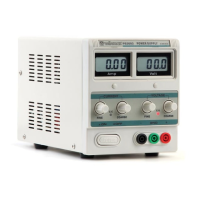
The LABPS3005D is a highly accurate, DC-regulated power supply with an adjustable output. This output
can be used for constant voltage (C.V.) and constant current (C.C.).
The output voltage can be adjusted between 0V and 30V when the device is in the constant voltage
mode. The current-limiting point can be set arbitrarily in this mode.
The output current can be adjusted continuously between 0A and 5A in the constant current mode.
The output current and voltage are indicated on the LED displays.
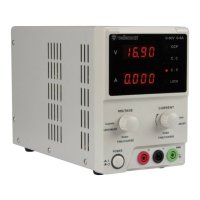
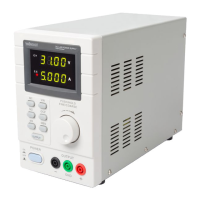
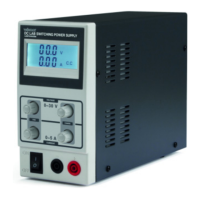
Refer to the illustrations on page 2 of this manual.
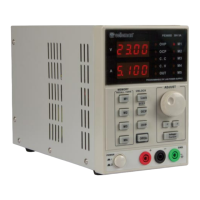
M1-M5 indicator: active memory
OVP: overvoltage protection on/off
Adjust: adjustment knob for voltage and
current; selection of memory 5
OCP/Beep: overcurrent protection / key
tones on/off
< >: digit selection buttons for coarse/fine
tuning of voltage and current
Lock/Unlock: lock/unlock panel keys
Voltage/Current: select between voltage
or current for adjustment
M1-M4: memory save / recall
Earth (ground) terminal, connected to the
chassis and earth pin of the power supply
socket
OVP indicator: overvoltage protection is
active
RS232 port for remote control via pc
OCP indicator: overcurrent protection is
active
USB port (type B) for remote control via pc
CC indicator: constant current mode
CV indicator: constant voltage mode
OUT indicator: output is on
6. Operation
Switching the Power Supply On or Off
1. Connect the included power cord to the back of the device [23] and plug the other end into a
suitable, earthed power socket.
Always connect the device to an earthed power socket.
2. Press the Power button [19] to switch the power supply on.
The power supply automatically recalls the settings from memory 1. (See Setting Voltage and
Current for more information.) The display shows the existing settings, the M1 indicator [13]
lights.
At this moment, there is no output voltage or current on the output terminals.
3. Press the Power button [19] to switch the power supply off.




 To Next Page