WT3116 VELLEMAN
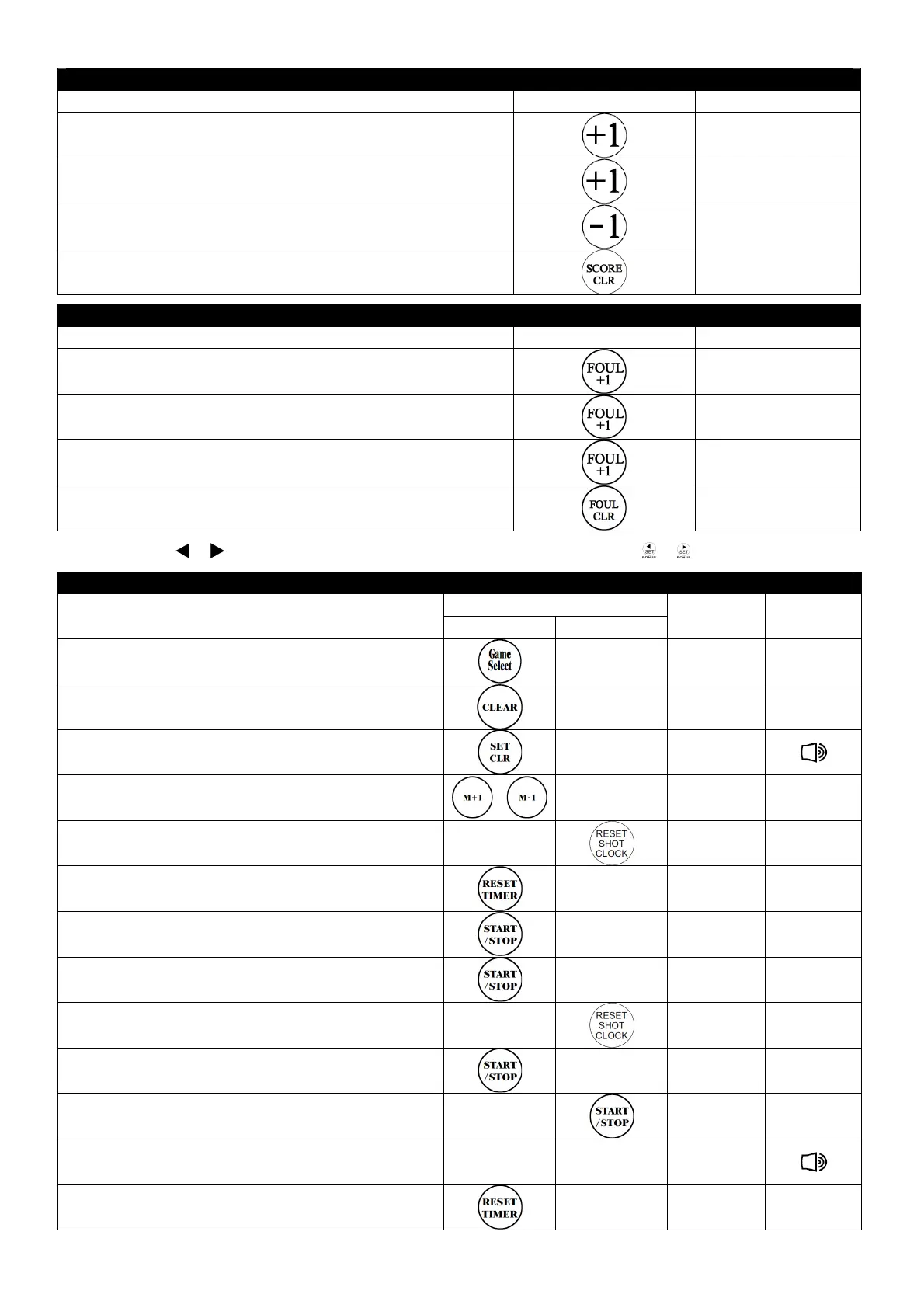
Score
Operation Key Display
1. Guest team scores
19:20
19:2019:20
19:20
0 1
0 10 1
0 1
2. Home team scores
19:15
19:1519:15
19:15
1 1
1 11 1
1 1
3. Home team loses point or erroneous point adding
19:15
19:1519:15
19:15
0
00
0 1
1 1
1
4. Reset scores
19:15
19:1519:15
19:15
0 0
0 00 0
0 0
Foul
Operation Key Display
1. Guest team commits foul
19:20
19:2019:20
19:20
0 1
0 10 1
0 1
2. Home commits foul
19:15
19:1519:15
19:15
1 1
1 11 1
1 1
3. Home commits second foul
19:15
19:1519:15
19:15
2
22
2 1
1 1
1
4. Reset
19:15
19:1519:15
19:15
0 0
0 00 0
0 0
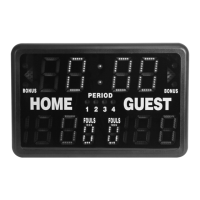
• Press or to toggle between the home team and the guest team. Press or for bonus points.
Count-up Game Timer
Key
Operation
Timer Shot Clock
Display Buzzer
1. Select game
2
22
20:00
0:000:00
0:00
0 0
0 00 0
0 0
2. Erase previous settings
0:
0:0:
0:00
0000
00
0 0
0 00 0
0 0
3. Set display to chrono mode
0:00
0:000:00
0:00
0 0
0 00 0
0 0
4. Set game time (e.g. 20 min)
2
22
20:00
0:000:00
0:00
0 0
0 00 0
0 0
5. Recall shot clock memory
2
22
20:00
0:000:00
0:00
0 0
0 00 0
0 0
6. Game time returns to 0:00
0:00
0:000:00
0:00
0 0
0 00 0
0 0
7. Start game & shot clock simultaneously
0:01
0:010:01
0:01
0 0
0 00 0
0 0
8. Game interrupted
0:09
0:090:09
0:09
0 0
0 00 0
0 0
9. Reset shot clock
0:09
0:090:09
0:09
0 0
0 00 0
0 0
10. Restart game
0:10
0:100:10
0:10
0 0
0 00 0
0 0
11.Stop shot clock
0:19
0:190:19
0:19
0 0
0 00 0
0 0
12. Game time expires
2
22
20:00
0:000:00
0:00
0 0
0 00 0
0 0
13. Reset game time
0:00
0:000:00
0:00
0 0
0 00 0
0 0


 To Next Page