WT3116 VELLEMAN
D. MATCH & PIN TIMER (judo)
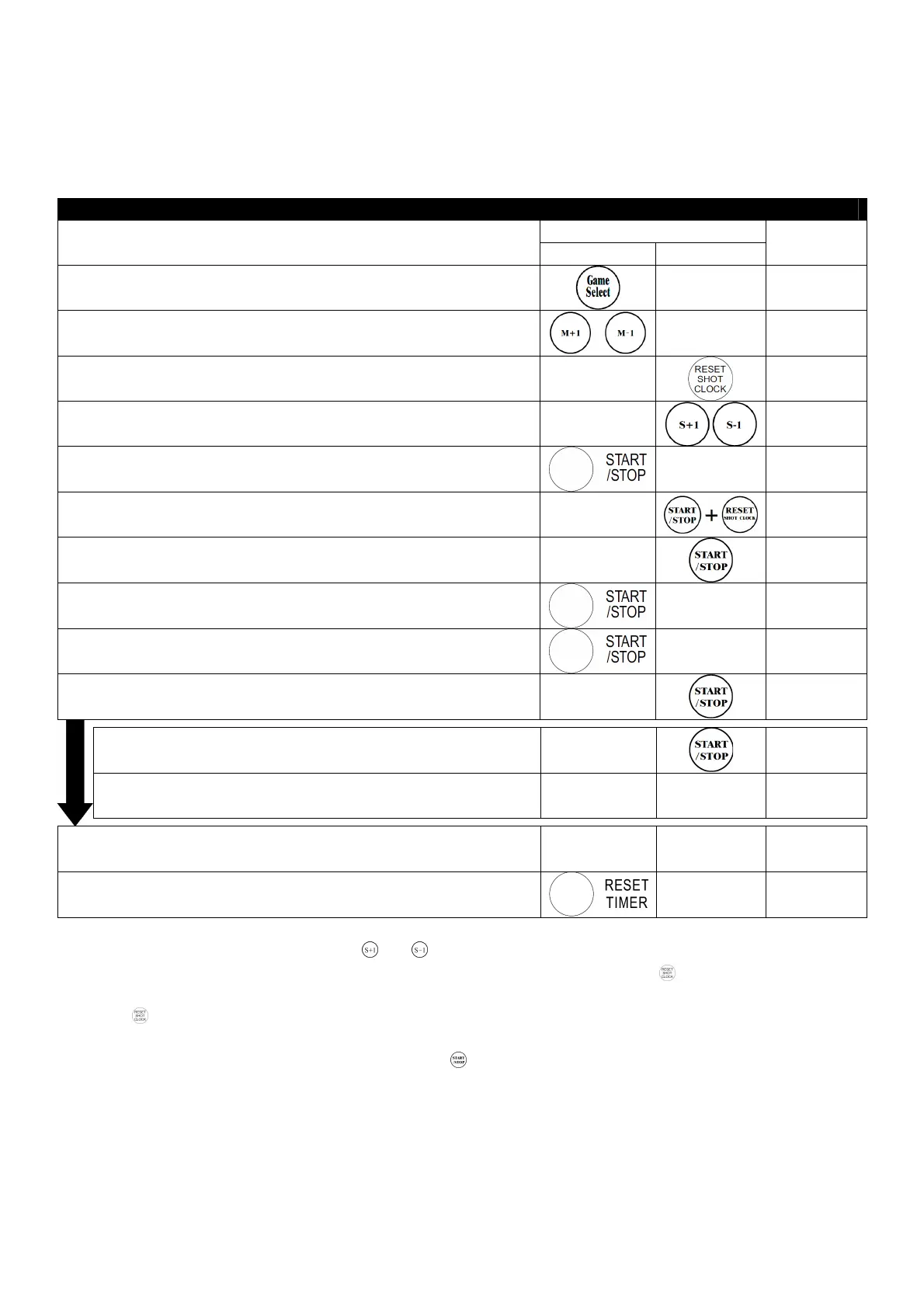
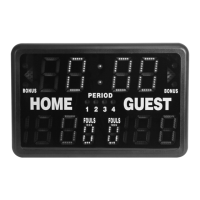
This game mode displays the match time and elapsed pinning time.
Upper display: match time (max. 99:59)
Lower display: pinning time (max. 30)
Match & Pin Timer
Key
Operation
Timer Shot Clock
Display
1. Select mode
5:00
5:005:00
5:00
30
30 30
30
2. Set match time (e.g. 5 min)
5:00
5:005:00
5:00
30
30 30
30
3. Save pin time into memory
5:00
5:005:00
5:00
0
0 0
0
4. Reset pin time if necessary
5. Start match
5
55
5:00
:00:00
:00
1
1 1
1
6. If pin does not begin, pause pin time and reset
4:53
4:534:53
4:53
0
00
0
7. Pin begins
4:
4:4:
4:5
55
53
33
3
1
11
1
8. Stop match during pinning, pause pin timer
4:35
4:354:35
4:35
1
1 1
12
22
2
9. Restart match, resume pin timer
4:
4:4:
4:34
3434
34
1
1 1
13
33
3
10. Pin broken free
4:
4:4:
4:25
2525
25
22
2222
22
11. Match time expires, buzzer will not sound if pin is in progress
0
00
0:00
:00:00
:00
22
2222
22
12. Reset match time
5
55
5:00
:00:00
:00
0
00
0
• Match timer stopped too late: use and to adjust the difference.
• Pinned judoka already has waza-ari (becomes ippon after 25 seconds): press during pin countdown. 25
will appear on the lower left display and the buzzer will sound after those 25 seconds have elapsed. Press
again to cancel the 25-second display.
• Match time reaches 0:00 during a pin: the match will continue without buzzer so the pin count will not be
interrupted. When the pin is broken free, press . The buzzer will sound and the match will end.
10.1. Next pin begins
1:31
1:311:31
1:31
1
1 1
1
10.2. 30 seconds have elapsed, match time automatically
stops, buzzer sounds
1:00
1:001:00
1:00
30
3030
30


 To Next Page