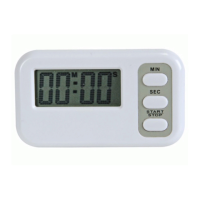
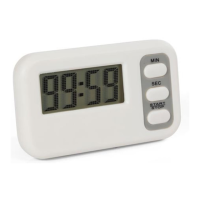
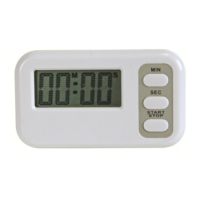
WT3116 VELLEMAN
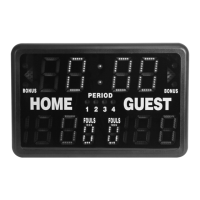
• Match timer stopped too late: use and to adjust the difference; use shot clock to adjust the round
difference.
• Round time reaches 0:00 during countdown: the match will continue without sounding the buzzer so the
countdown will not be interrupted.
• Modifying round/break times: press and reset.
• In the final round, the break time will not display.
F. ELECTRONIC METRONOME
Upper display: rhythm
Lower left display: number of buzzes per minute
Lower right display: length of a buzz
Electronic Metronome
Operation Key Display Buzzer
Set buzz length
0
0 0
0
120
120 120
120 6
6 6
6
Set buzz number
0
0 0
0
1
11
113
1313
13 6
6 6
6
Start metronome
1
11
1
113 6
113 6113 6
113 6
Stop metronome
5
55
5
113 6
113 6113 6
113 6
Reset metronome
0
0 0
0
113 6
113 6113 6
113 6
G. PROGRAM TIMER (interval training)
The timer may be programmed to consecutively count down and display max. 9 time periods.
Upper display: timer (max. 99:59)
Lower left display: number of repetitions (max. 9)
Lower right display: program number (max. 9)
Program Timer
Operation Key Display Buzzer
1. Set desired time for program 1 (P1)
5
55
5:00
:00:00
:00
1 P1
1 P11 P1
1 P1
2. Enter P1 into memory and enter times for following programs if
desired
0:00
0:000:00
0:00
1 P
1 P1 P
1 P2
22
2
3. Complete program setting. Set the desired number of repetitions
using the shot clock . Press and . The current round is
displayed and the timer will stop.
5:00
5:005:00
5:00
1 P1
1 P11 P1
1 P1
4. P1 will start counting down and buzzer will sound when it reaches
0:00. P2 will subsequently start. Completion of all programs is
considered one round.
4
44
4:
::
:59
5959
59
1 P1
1 P11 P1
1 P1
0
00
0:00
:00:00
:00
1 P2
1 P21 P2
1 P2
3
33
3:00
:00:00
:00
1 P3
1 P31 P3
1 P3
0
00
0:00
:00:00
:00
1 P4
1 P41 P4
1 P4
5:00
5:005:00
5:00
1 P5
1 P51 P5
1 P5


 To Next Page