EasyManua.ls Logo

Vello Snap-on LCD Screen Protector - Align Screen Protector Guides; Install Screen Protector; Replace Camera Eyepiece

Vello Snap-on LCD Screen Protector
4 pages
Print Icon
To Next Page IconTo Next Page
To Previous Page IconTo Previous Page
Loading...
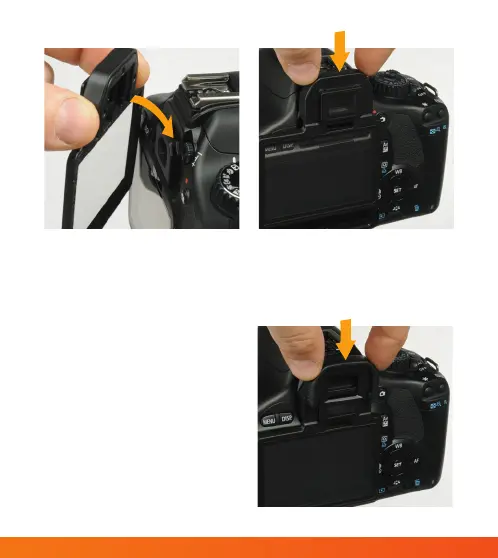
5. Replace the camera’s eye piece by
sliding it into position on the
screen protector.
3. Align the guides on the
underside of the screen
protector’s eye piece with the
corresponding tracks on the
camera body.
4. Install the screen protector by
sliding it down, into place.


Related product manuals