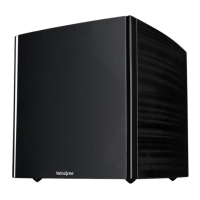
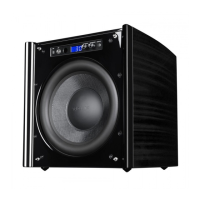
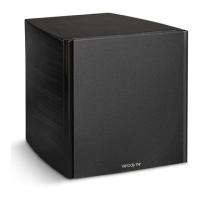
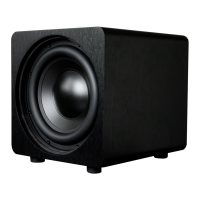
www.velodyne.com
8 - Digital Drive
PLUS
Series User’s Manual
Listening Controls
A. MUTE: Mutes and unmutes the subwoofer. You can use this to toggle between how your audio system
sounds with and without the subwoofer playing.
PRESETS: Accesses the ve presets and one EQ defeat listening modes. The presets are set at the factory,
but you can adjust them.
B1. THEATER:
EQ boost at 37 Hz.
B2. ROCK: EQ boost at 52 Hz.
B3. JAZZ: No EQ boost — reference listening.
B4. CUSTOM: Set to your listening preference.
B5. GAMES: EQ boost at 60 Hz.
B6. DEFEAT: Use to toggle between another preset being on and o to listen to the sound dierence.
C. VOLUME + and -- : Raises or lowers the volume of your subwoofer.
D. NIGHT: Limits the peak volume of the subwoofer to a percentage of the selected preset volume or SETUP
volume.
Other Controls
E.
Toggles the subwoofer between active and standby modes if power switch on back of subwoofer is ON.
F. LIGHT: Changes the LED display operation between momentary on (default) and constantly on. The volume
level is readable even with the front subwoofer grille in place.
Optimization Controls
G. EQ:
Performs Auto-EQPLUS. If Setup parameters have been saved from either an Auto-EQ or Self-EQ, pressing
this button won’t run Auto-EQPLUS again unless you hold the button down for about 5 seconds. This is to
prevent Auto-EQPLUS from running and overwriting any manual settings you have saved if this button is
accidentally pushed.
H. NUMERIC KEYPAD: Enters Setup mode, enters Self-EQ mode and starts other functions.
Optimization Controls for EQ Set Up Using a TV Screen
I. MENU:
Enters SETUP mode from the introductory screen.
J. SELECT: Toggles eld values.
K. SET + and -- : Increases or decreases the Q value for a parametric EQ or sets values on the Settings screen.
L. EXIT: Exits Setup mode.
M. RESET: Resets volume to the last saved setting on the Systems Settings screen and defeats the crossovers on
the Settings screen. Also exits from any EQ process to the Introductory screen.
N. TEST: Toggles between the Settings Screen and the System Response screen.


 To Next Page
 Loading...