
 Need help?
Do you have a question about the Velp Scientifica FOC 120E and is the answer not in the manual?
Unit is for laboratory use only; read manual carefully before operation.
Contains a small quantity of isobutane gas (R600a) in the refrigerating system.
Do not dispose of equipment as urban waste, per EEC directive 2012/19/UE.
Ensure easy disconnection; prevent liquids from contacting electrical components.
User must decontaminate for hazardous substances and use compatible cleaning agents.
Connect to a compliant, accessible socket using only the provided grounded cable.
Do not use if malfunctioning; contact the nearest service center.
Avoid explosive substances, protect refrigerant circuit, and use appropriate PPE.
Internal sockets are for 230V, 50Hz devices with max 3A absorption.
Avoid hot objects near plastic parts, heavy lifting, and probe obstruction.
Ensure products do not obstruct airflow; use grid shelves, avoid blocking rear/front walls.
Use grid shelves; IL models have lighted shelves with optional switch-off.
Follow manual for connection; wait at least 4 hours after horizontal transport.
Ensure adequate air circulation; avoid heat sources and place in ventilated areas.
Never cover the condenser fins on the back of the instrument.
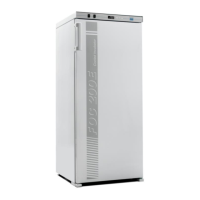
Offers thermal stability, homogeneity, auto-tuning, and internal sockets.
Features transparent door, lighted shelves, and Wi-Fi module.
All VELP incubators are CFC-free, complying with current regulations.
Check unit integrity after unpacking; verify box contents.
Match specifications, use accessible socket and provided cable.
If transported/stored horizontally, let unit stand upright for 24 hours before use.
Use main switch; adjust temperature via Set, +/-, and Set buttons.
Use the dedicated switch on the frontal panel to control internal sockets.
Avoid hot products, frequent door opening, and probe obstruction.
Set current day/time, select operating mode (AUTO, I, O).
Set up to 16 commutations (ON/OFF) for internal lights.
Allows temporary swapping of light status during an operating cycle.
Access via Set button (3s); navigate menus using +/-; confirm with Set.
Includes probe calibration, setpoint limits, and operating times.
Enable/disable Wi-Fi connection and Access Point mode.
Allows resetting all system settings to their default values.
Displays errors like AL1-AL5; functions stop automatically.
Remove error messages by restarting the instrument.
Warning messages are available only on the Ermes platform.
Create/login to account, accept terms, and activate via email.
Enable Wi-Fi, connect to network, access via IP address, and configure parameters.
Access One Time Code, enter product details, and assign to a virtual lab.
No routine or extraordinary maintenance required, only periodic cleaning.
Disconnect power; use a cloth dampened with a non-flammable, non-aggressive detergent.
Repairs by authorized personnel only; use original packaging for transport.
Details power supply, volume, dimensions, weight, temperature ranges, and interfaces.
Lists multi-socket cables, interconnection cables, manuals, and shelves.
Diagram showing fuses, switches, compressor, heating element, fan, probes, and boards.
Product conforms to EN 61010, EMC, Machinery, LVD, and RoHS directives.
 General
| Brand | Velp Scientifica |
|---|---|
| Model | FOC 120E |
| Category | Laboratory Equipment |
| Language | English |



 To Next Page