19
INSTALLATION
MANUAL
INSTALLATION
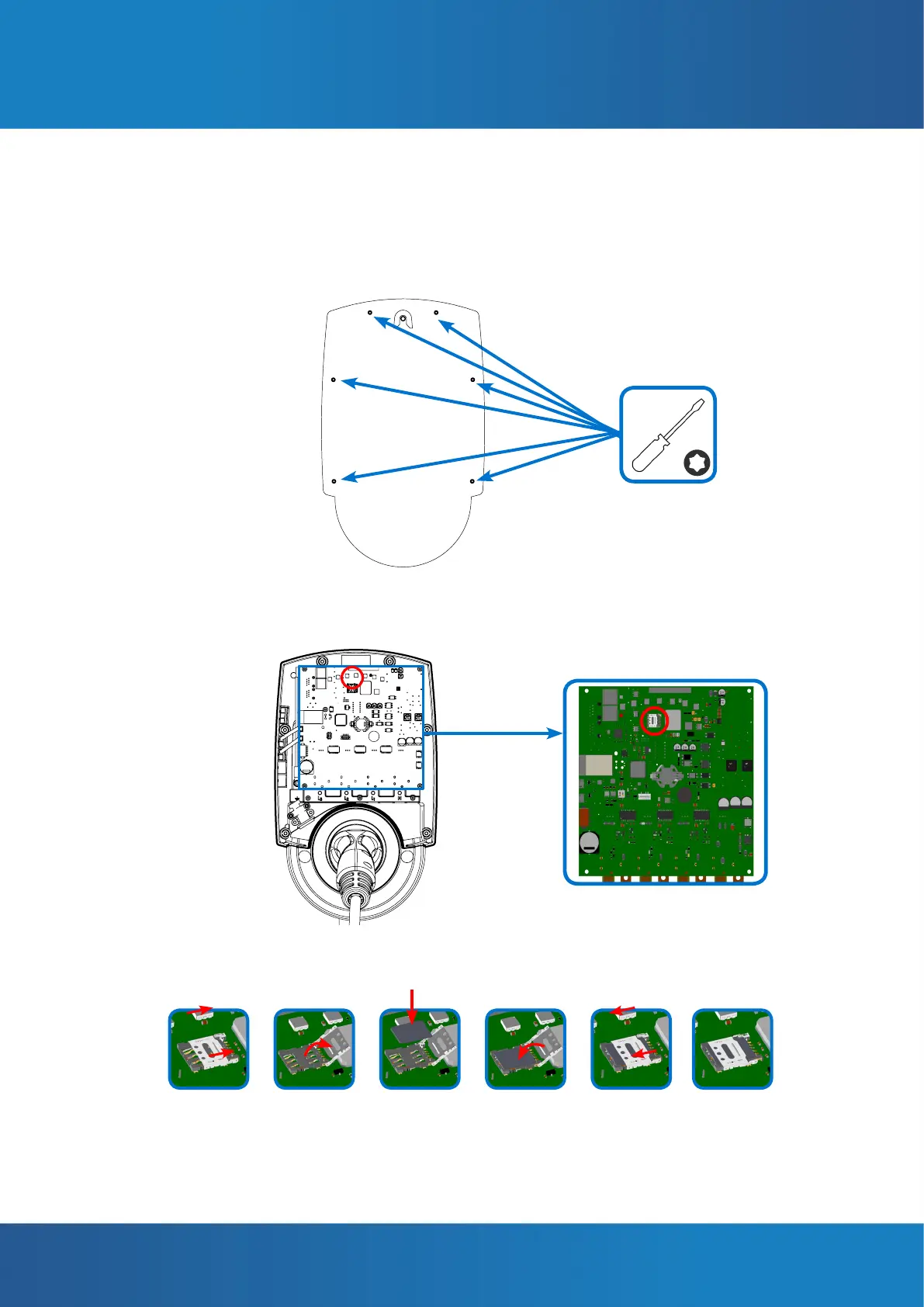
INSTALLATION OF THE SIM CARD
1. Remove the 6 screws joining the front and rear parts of the casing using the torx
head screwdriver, size T20. Remove the front cover.
2. Identify in the SIM card slot on the charger circuit board.
3. Slip the SIM card into its slot as indicated in the following steps:
4. Close the casing again with the 6 screws.



 To Next Page