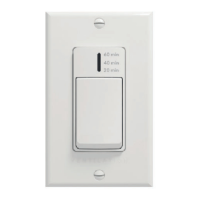
INSTALLATION AND USER GUIDE FOR 20-40-60 CONTROL
READ AND SAVE THESE INSTRUCTIONS
The illustrations in this document are generic; your control appearance may be slightly different from the ones shown.
Electrical wiring must be done by qualified personnel in accordance with all applicable codes and standards.
Before connecting wires, unplug the unit or switch power off at service panel and lock service disconnecting
means to prevent power from being switched on accidentally. Always wear safety glasses and gloves while
performing these instructions.
WARNING
Cut a 2
7
/8” x 1¾” hole in a wall, at a
convenient location for the control.
Route a cable (type 22/4) for the
control from the unit to this hole. See
figure at right.
Temporarily place the control over the
hole and mark both mounting screw hole
positions.
Remove the control, drill both screw
holes (3/16” Ø) in wall and insert the wall
anchors (included).
Ø 3/16", typ.
VC0210A
Unplug the ventilation unit.
Mount the control to the wall.
The main button works following this
sequence:
• Click 1 = 20 min
• Click 2 = 40 min
• Click 3 = 60 min
• Click 4 = OFF
• and so on
The indicator lights up as per the selected
duration and the system exchanges air at
MAX speed.
23849 rev. E
!
Strip the end of the cable to access the 4 wires (about 3"). Strip
the end of each wire (about 1/4"). Use screws to fix the wires to
the control terminals, regardless of the wire color. Note which
wire color has been chosen for each terminal. Pull slightly on
each wire to make sure they are firmly connected.
Depending on the type of fresh air system installed,
perform the electrical connection to the terminal
connector of the unit as per one of the four models illustrated
hereafter. For more details, refer to the installation manual of the
ventilation unit.
NOTE: To avoid miswiring, refer to the notes taken at step
to match the wire color with the right terminal.
Gnd
OVR
12V
LED
V
2
4
INSTALLATION
HOW TO USE THE CONTROL
Plug the ventilation unit and test the wall control.
VE0487
Remote 10 positions terminal
VE0488
Remote 4 & 6 positions terminals
VE0489A
On-board terminal
Remote 6 & 7 positions terminals
VC0212
NOTE: The auxiliary wall control can be used with a 3-wire
connection by removing the LED signals. In 3-wire, the
control will activate LEDs according to the mode selected
directly on it (20-40-60), but the LEDs will not interact
after others auxiliary controls in the same installation are
activated. In retrofit application, this control cannot share
a 3-wire connection with previous generation auxiliary
controls. A dedicated cable is required.


 To Next Page
 Need help?
 General