Electric TV Lift, TS700A & TS1000A
7. Feature functions and settings.
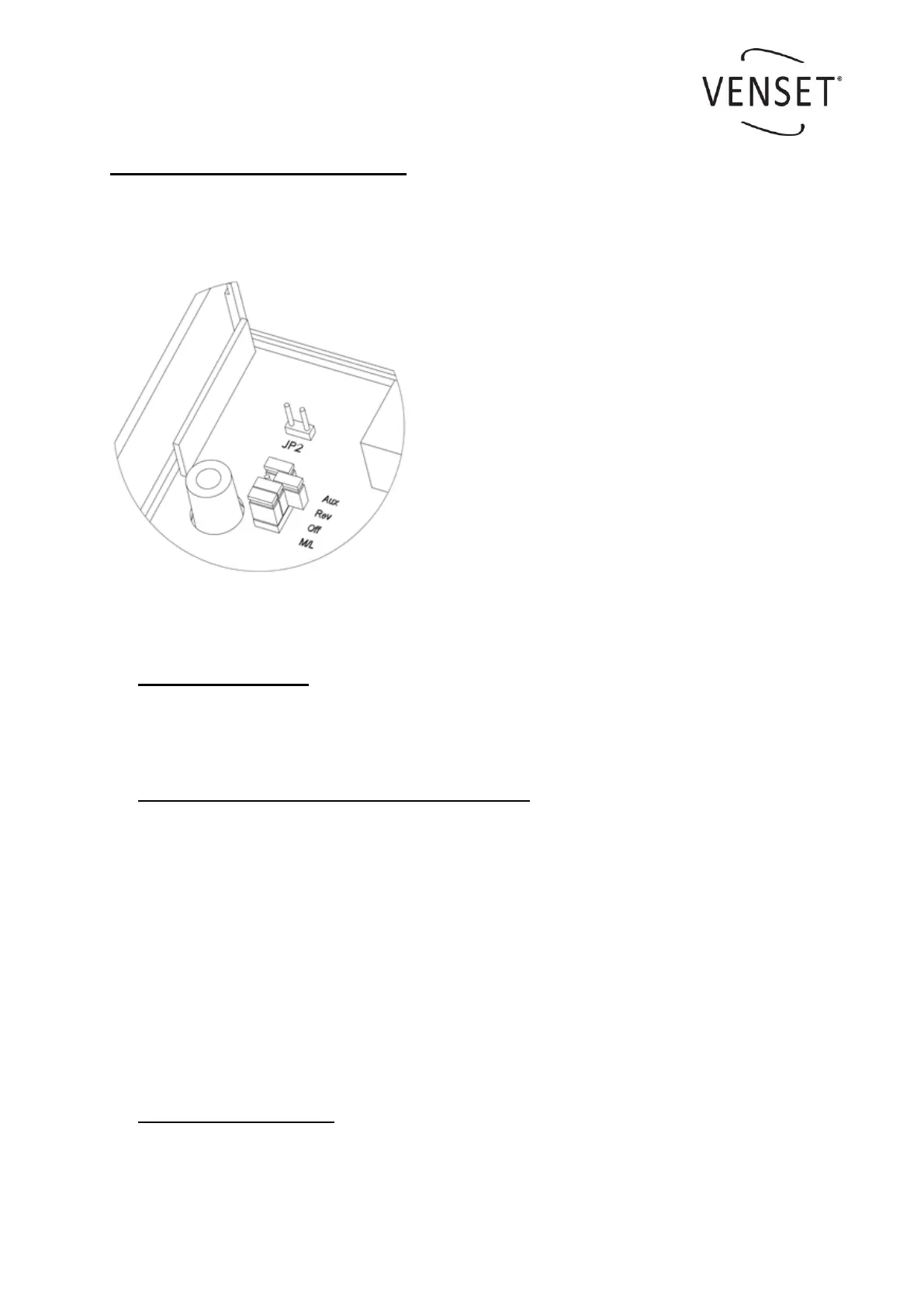
Several features are controlled by using Jumpers. A Jumper is either set or open. See ex-
ample below.
a. Orientation of TV-Lift
The Jumper Rev is default = set, for TV-Lifts mounted upside up. For upside down the
Jumper Rev has to be moved to open.
b. Anti-squeeze on/off (autostop with auto reverse)
The Jumper Off is default = set, which means that the anti-squeeze function is off.
Move the Jumper Off to the JP2 pins to activate the function.
Anti-squeeze safety precaution
This feature will stop the TV-Lift and it will reverse approximately 3cm automatically if a sudden con-
flict with an obstacle happens. The sensitivity is different in up and down directions.
If the lift is installed upside down ensure Jumper Rev is set correctly and the above will still apply.
The feature will not work in the following situations.
If the collision and load impact happens in a gradual way.
If the collision happens within 1 sec after the up or down button has been activated.
c. Remote emitter function
The Jumper M/L is default = set and the buttons on the emitter only need to be pushed
once for operation. If moved to open then the emitter button will need to be held down
during the operation of the lift, ie..for use where a higher level of safety may be required.
Example of Jumper settings.
Jumper Aux = set
Jumper Rev = open
Jumper Off = set
Jumper M/L = set



 To Next Page