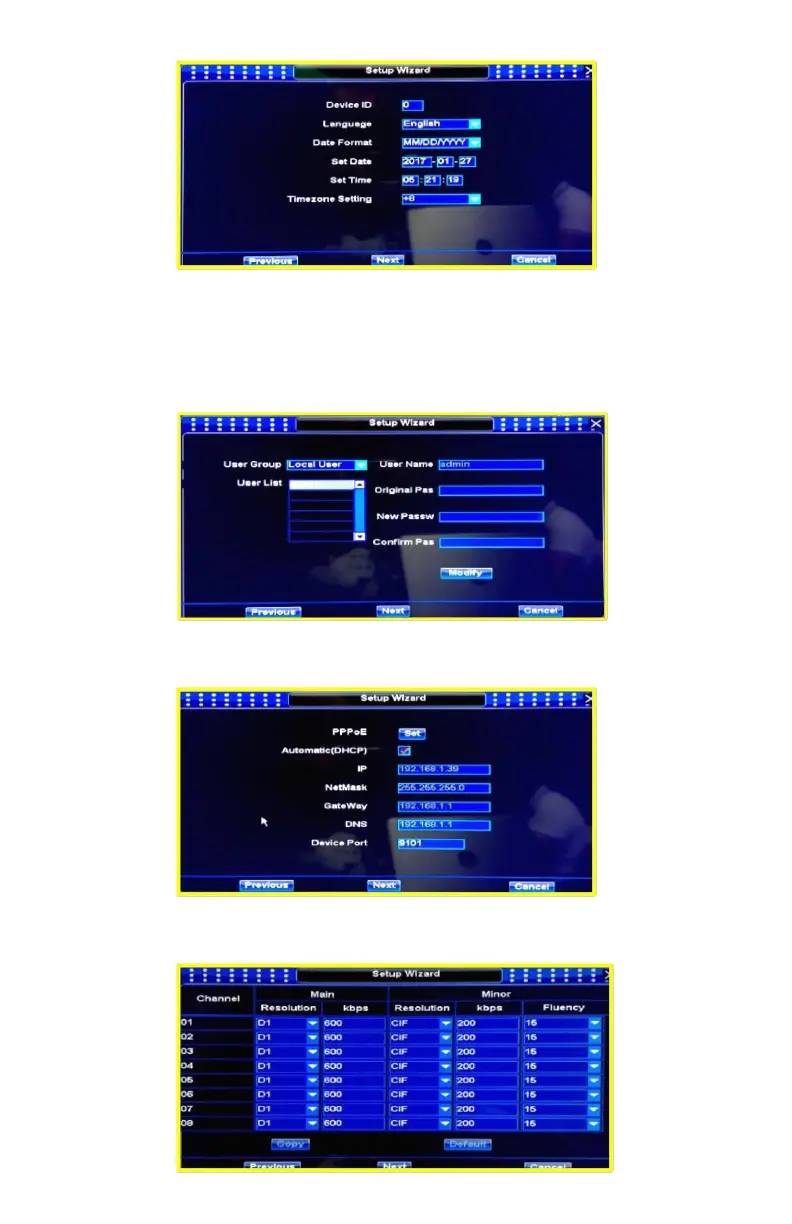
3. Next step is general settings, you can set language, date format, time…
4. Next step is User configuration, you can modify default user, we strongly recommend to
keep default user and password but if you need to change it please keep new password
well saved, password recovery process is very complex due to security standards. You
can create and modify local and network users later by accessing MAIN MENU / GENERAL
/ USERS.
5. Next step is network configuration, you can set all the Network parameters, we
recommend to select Automatic (DHCP) mode.
6. Next step is channels and stream configuration, you can change channels resolution,
system will use maximum resolution by default (recommended).


 To Next Page