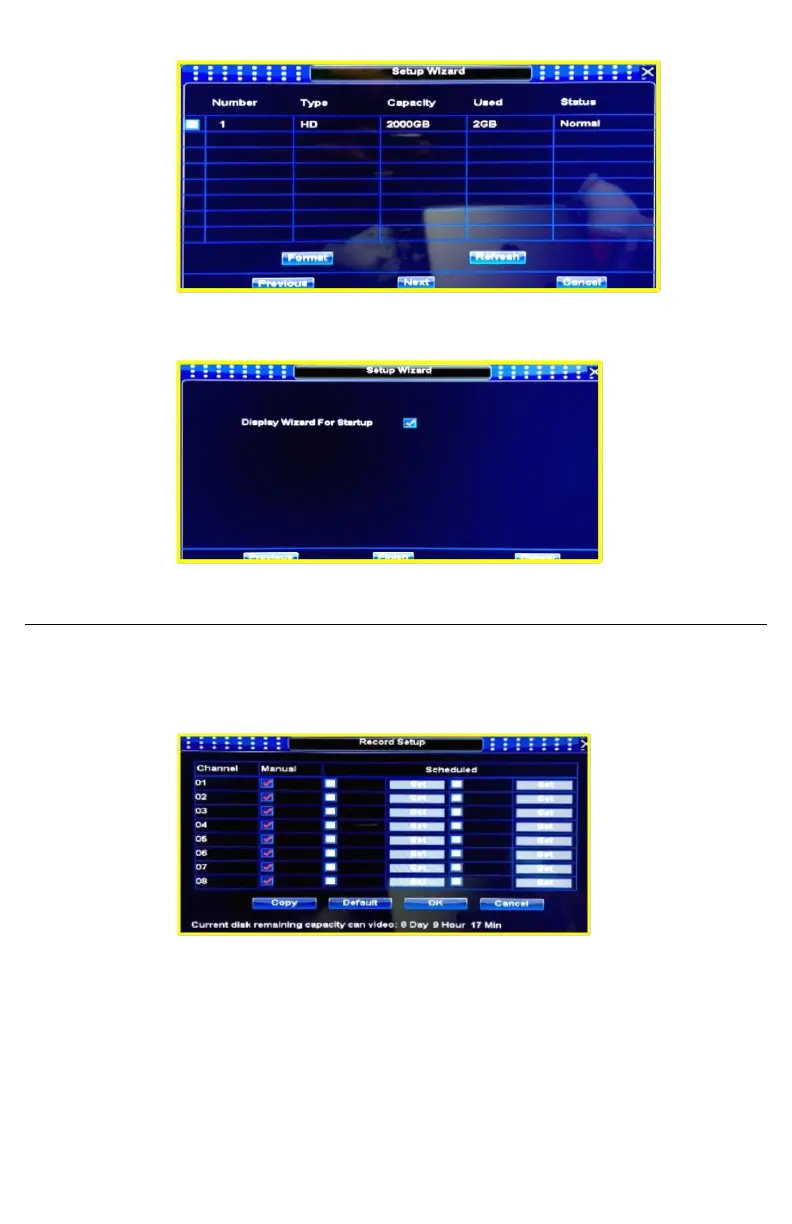
7. Next step will show you hard disk capacity, you can format HDD at first time.
8. Last step you can uncheck to display wizard at startup, you can access wizard any time by
MAIN MENU / GENERAL / and clicking WIZARD button.
Record Setup
▪ You can access to record setup doing right click on main screen and selecting record setup
icon, you can also click the record setup icon that is located at the popup menu that
appears when you place the mouse at the main screen bottom.
▪ Once inside the Record menu you can select the manual or scheduled record mode for
each channel, on scheduled mode you can set recording hours or periods (Scheduled
record can save hard disk space,).
Note: you can also set motion detection record mode by accessing MAIN MENU /
MOTION DETECT, then you select channel, set motion detection sensitivity required, and
click start to record at alarm output menu.


 To Next Page