4
accordingly to setup the fish finder.
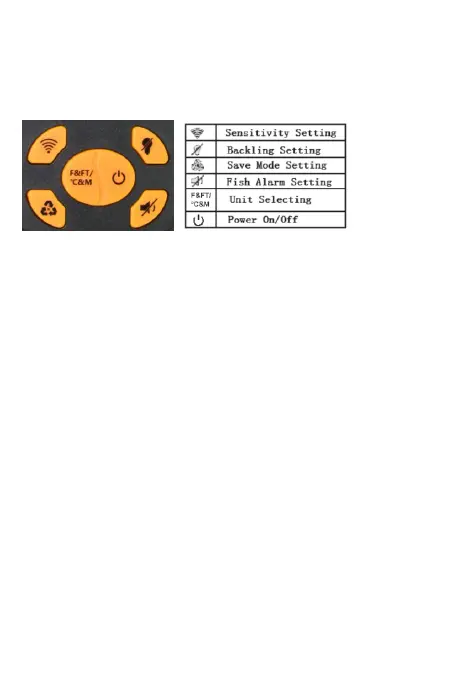
• The screen will automatically return to normal operation
after 5 seconds if no keys are pressed.
• When a feature is activated, the indicator will appear.
When a feature is deactivated, it will have an “/” over it.
SENSITIVITY
There are 5 user selectable sensitivity settings to choose
from. It greatly depends on the clarity and depth of the
water. Very clear water allows for a moderate sensitivity
setting. Conversely, dirty water requires a higher
sensitivity setting to target detail but will increase the
irritating false readings. Targeting deep water fish
generally requires higher sensitivity, especially in dirty
water. Salt and brackish water also require a
comparatively higher sensitivity setting. As the sensitivity
is enhanced, smaller details show on the screen (but
trash & debris might be detected as fish). The clearer the
water, the less sensitivity needed to get accurate details
and vice-versa.
BACKLIGHT
Turning the backlight feature ON will keep the screen
illuminated all the time. But it will greatly reduce the
battery life, so it’s suggested to only turn it on during low
light conditions.


 To Next Page