4
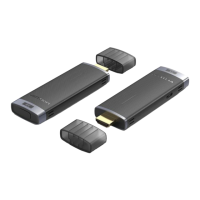
Product Overview
Hardware Installation
The product features Plug and Play, making set up as easy as possible.
First, connect the HDMI port of the transmitter to the HDMI video output port on your video
source device. Next, connect the included USB-C cable to the Power port (USB-C) on the
transmitter and to a nearby USB-C power source or power adapter (5V/2A). Then power up
your local video source.
Finally, connect the HDMI output port on the receiver to the HDMI video input port on your
display. After the indicator flashes for about 20 seconds, the video and audio signals from
the source device are displayed on the connected display device.
Note: Ensure there is an available USB-C power source or power adapter (5V/2A) at your
local and remote locations.


 To Next Page