EasyManua.ls Logo

VENUS CONCEPT VENUS LEGACY - User Manual

VENUS CONCEPT VENUS LEGACY
49 pages
Print Icon
To Next Page IconTo Next Page
Loading...
Venus Legacy User Manual Effective date: 24.06.13 P/N: DCLEROW4 Rev.01
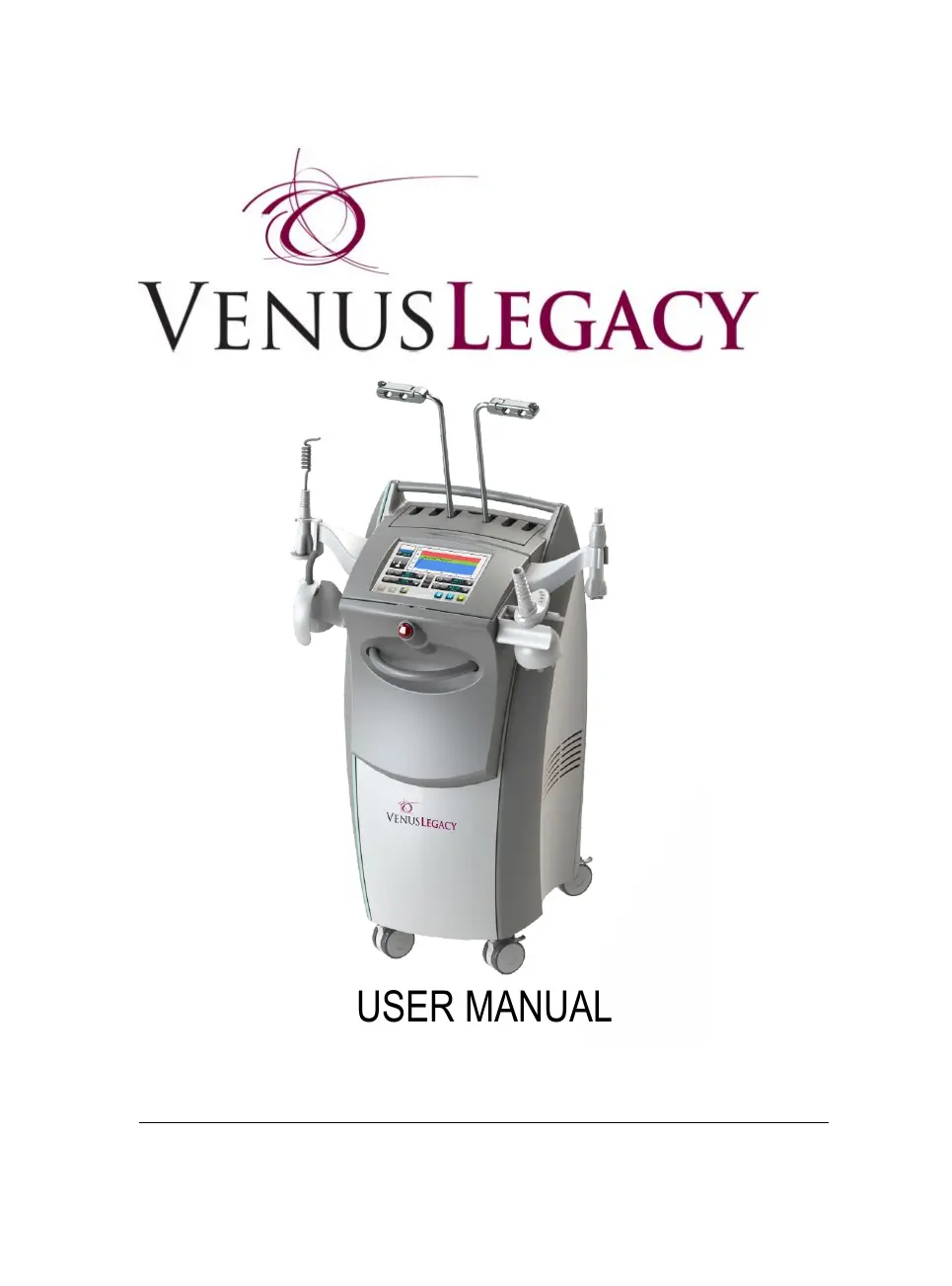
USER MANUAL
INTERNATIONAL

Questions and Answers

  • C
    Christine OsborneAug 20, 2025
    What to do if I get the message 'Wrong Login Code' on my VENUS CONCEPT VENUS LEGACY Personal Care Products?
    • B
      buchananmaxAug 20, 2025
      If the message "Wrong Login Code - Please Try Again" appears on the screen, first, re-enter your login code. If you still can't remember it, you can use the master code "A1B2C3D4" to log in. After logging in with the master code, it's recommended that you set your own private login code.
  • M
    mirandadevinAug 22, 2025
    What to do if my VENUS CONCEPT Personal Care Products says activation period expired?
    • R
      Ronald Mckenzie Jr.Aug 22, 2025
      If you see the message "Your Activation Period has Expired – Please Enter New Activation Code" on the screen, you should contact your local distributor to obtain a new activation code. Once you have the new code, press the Tools icon, then select Activation Code, and enter the new activation code to activate the system.
  • P
    Patricia WhiteAug 25, 2025
    What to do if my VENUS CONCEPT VENUS LEGACY displays 'Invalid Activation Code'?
    • M
      Melissa WrightAug 25, 2025
      If the message "Invalid Activation Code - Please Enter New Activation Code" appears, try entering the activation code again. If the message continues to appear, contact your local distributor for assistance.
  • L
    Logan HenryAug 27, 2025
    What to do if my VENUS CONCEPT Personal Care Products machine is locked?
    • S
      Stephen WardAug 27, 2025
      If the message "The Machine is Locked - Please Contact Your" appears on the screen of your VENUS CONCEPT Personal Care Products, try restarting the system by turning it off for 2 minutes and then turning it back on. If the message persists, contact your local distributor.
  • B
    Brandon KingAug 28, 2025
    What to do if VENUS CONCEPT VENUS LEGACY Personal Care Products shows 'Error - Can't Read Configuration File'?
    • R
      Richard McgrathAug 28, 2025
      If you are getting the message: "Error - Can't Read Configuration File" on the screen of your VENUS CONCEPT Personal Care Products, restart the system by turning it off for 2 minutes and then turning it on again. If the message continues to appear, contact your local distributor.
  • S
    Shaun JonesAug 30, 2025
    What to do if my VENUS CONCEPT VENUS LEGACY Personal Care Products displays 'Remaining Operating Time'?
    • B
      Brandy HarrisAug 30, 2025
      If the message "Remaining Operating Time: ##:##:##" appears on the screen, contact your local distributor to get a new activation code. Then, press the Tools icon, select Activation Code, and enter the new activation code to activate the system.
  • T
    Tracey BushAug 31, 2025
    What to do if VENUS CONCEPT VENUS LEGACY says 'Activation Period has Expired'?
    • J
      Julie HaynesSep 1, 2025
      If the message "Please Note - Your Activation Period has Expired" appears on the screen, contact your local distributor to get a new activation code. Then, press the Tools icon, select Activation Code, and enter the new activation code to activate the system.
  • D
    Douglas VincentSep 2, 2025
    What to do if my VENUS CONCEPT Personal Care Products displays 'Error - Can't Read Language File'?
    • K
      Katherine RuizSep 2, 2025
      If the message "Error - Can't Read Language File" appears on the screen of your VENUS CONCEPT Personal Care Products, restart the system (turn it off for 2 minutes and then turn it on). If the message still appears, contact your local distributor.
  • D
    Denise LloydSep 4, 2025
    What to do if touch screen does not respond on VENUS CONCEPT VENUS LEGACY?
    • F
      freemanantonioSep 4, 2025
      If the touch screen on your VENUS CONCEPT Personal Care Products does not respond, restart the system by turning it off for 2 minutes, and then turning it back on. If the screen still does not respond, contact your local distributor.
  • S
    smithshariSep 6, 2025
    How to troubleshoot no power on VENUS CONCEPT VENUS LEGACY Personal Care Products?
    • S
      Shirley McgeeSep 6, 2025
      To address the "No Power" issue on your VENUS CONCEPT Personal Care Products, take the following steps: * Check the power cable to ensure it is properly inserted into both the wall socket and the system inlet. * Make sure the main switch is in the "on" position and verify that the "emergency button" is not depressed. If the issue persists after checking these, contact your local distributor.

Summary

Before You Start

S;N Label

Details about the Serial Number label on the Venus Legacy system.

Introduction

View of Venus Legacy System

Overview of the physical components of the Venus Legacy system.

Legacy Applicators(Accessory)

Details the various applicators available for the Venus Legacy system.

System Description

Explains the functionality and purpose of the Venus Legacy device.

Safety

Introduction to Safety

Introduction to safety precautions and requirements for system operation.

Operator Safety Guidelines

Guidelines and responsibilities for operators using the Venus Legacy system.

Electrical and Mechanical Safety

Details on electrical and mechanical safety requirements for the system.

Fire Hazards

Precautions related to fire hazards when operating the system.

System Installation

Equipment List

Lists all components included with the Venus Legacy system.

Electrical Requirements

Specifies the electrical requirements for powering the Venus Legacy system.

Environmental Requirements

Details the required environmental conditions for optimal system operation and storage.

Moving the System

Instructions on how to safely move the Venus Legacy system within or between facilities.

Operating the System

Turning the System On;Off

Procedures for powering the Venus Legacy system on and off.

Login Screen

Details on the system login screen and user authentication.

Menu Screen Options

Overview of the main menu screen options and navigation.

Treatment Process

Step-by-step guide to performing treatments with the Venus Legacy system.

Adjusting Output Power

How to adjust the output power levels for treatment.

Adjusting Suction Level

Instructions for adjusting suction levels for specific applicators.

Temperature Profile Indicator

Explanation of the temperature indicators for patient monitoring during treatment.

Adjusting Treatment Time

How to set and adjust the treatment duration.

Interval Timer

Using the interval timer to divide treatment sessions into segments.

Initiating, Pausing, and Stopping Treatment

Guide to starting, pausing, and stopping treatments on the Venus Legacy system.

Control Switch Button Functionality

Explanation of the control switch button for managing system modes.

Tools Menu Overview

Accessing and using the system's tools and settings menu.

Changing System Languages

How to change the system's display language.

System Speaker Volume Control

Adjusting the audio volume for system alerts and feedback.

Setting User Login Code

Procedure for changing the system's login code for security.

System Logout Procedure

How to log out of the system to prevent unauthorized access.

Configuring Auto Logout Time

Configuring the automatic logout timer for system security.

System Information Access

Accessing system information like software version and serial number.

Technician Mode Access

Information about the technician mode, restricted to authorized personnel.

Activation Period Management

Understanding and managing system activation periods and deactivation limitations.

Operation Time Monitoring

Information regarding remaining operation time and reactivation procedures.

Treatment Procedures

Exclusion Criteria

Conditions that exclude a client from receiving treatment.

Precaution Criteria

Conditions requiring caution or specific considerations before treatment.

Pre-Treatment Preparation

Steps and recommendations for preparing a client before treatment.

Final Treatment Preparation

Final steps for preparing the client and the treatment area.

Maintenance

Cleaning the System

Routine procedures for cleaning the Venus Legacy system and its applicators.

Air Filter Unit Cleaning

Instructions for cleaning the air filters unit of the system.

Technical Specifications

Specifications and Configurations

Detailed technical specifications and configurations of the Venus Legacy system.

VENUS CONCEPT VENUS LEGACY Specifications

General IconGeneral
BrandVENUS CONCEPT
ModelVENUS LEGACY
CategoryPersonal Care Products
LanguageEnglish

Related product manuals