| Modes
KEY FEATURES OF VERA APP
| Cards
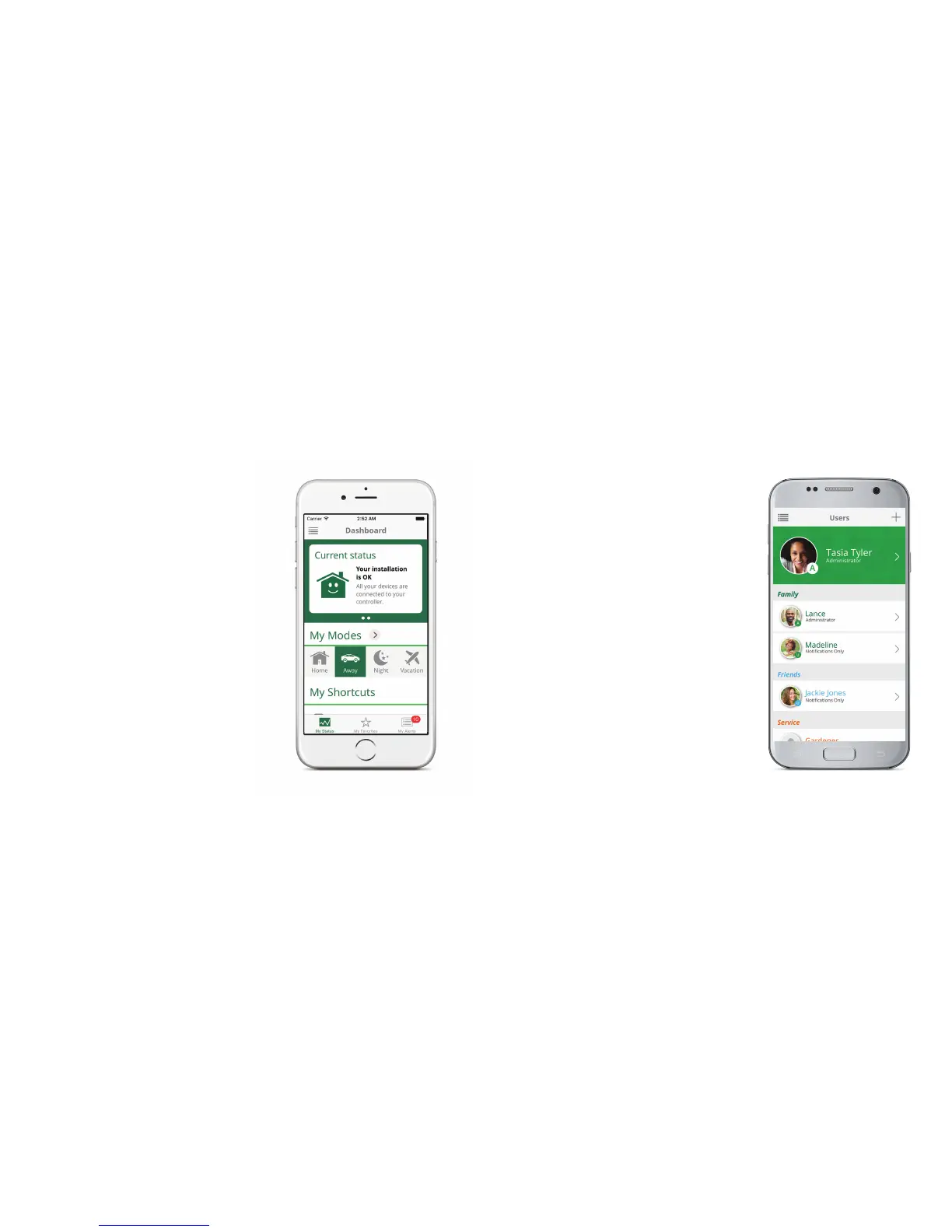
Modes are a powerful feature that lets you
control all your devices at once. There are
4 Modes—Home, Away, Night and Vacation.
You can customize how each Mode works.
The Current Status Card displays at the top
of the Dashboard and offers a quick check
of overall Vera system status. You don’t have
to check each window sensor to know that all
windows are closed and the alarm system is
“Armed”, for example.
| Users
| Notifications
Your Vera system can have as many users as
you like. Everyone in your family, or everyone
who works in your small business can have a
different username and password. The Vera
app lets you set permissions and notifications
for each user.
Your Vera system can send you a text or email
alert to notify you (and other users) of just
about anything that happens in the system,
such as when a door or window opens, a
motion detector trips, someone unlocks the
door, a smoke detector trips, and much more!
For more information on setting up notifications, go to:
http://support.getvera.com


 To Next Page