EasyManua.ls Logo

Veridian 01-508 Series - User Manual

Veridian 01-508 Series
65 pages
Print Icon
To Next Page IconTo Next Page
Loading...
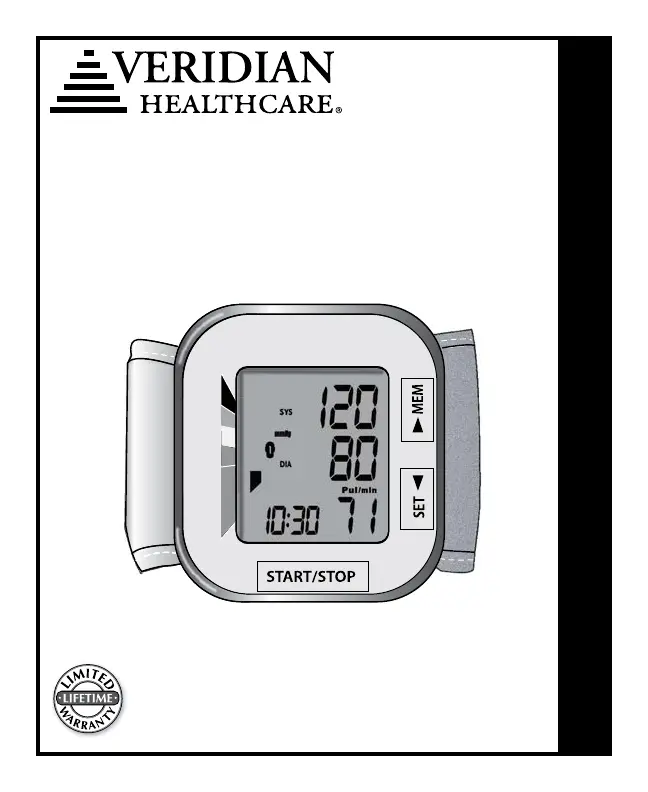
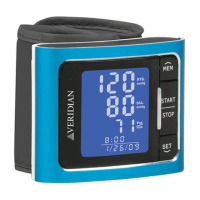
Automatic Digital
Wrist Blood Pressure Monitor
Model # 01-508 series
INSTRUCTION MANUAL • ENGLISH & ESPAÑOL
Please read this instruction manual
completely before operating this unit.
3-YEAR 2-YEAR
3-YEAR 2-YEAR
1-YEAR
1-YEAR

Questions and Answers

  • B
    Briana SmithAug 4, 2025
    What to do if my Veridian 01-508 Blood Pressure Monitor display is blank when power is on?
    • W
      whitejulieAug 4, 2025
      If the display of your Veridian Blood Pressure Monitor is blank when you turn it on, the batteries may be expired or installed incorrectly. Check the polarity of the batteries and reinstall them if needed. If they are old, replace them with new ones.
  • L
    lisariddleAug 15, 2025
    How to fix no response from Veridian 01-508 when STOP/START is pressed?
    • S
      Steven PadillaAug 15, 2025
      If your Veridian Blood Pressure Monitor doesn't respond when you press STOP/START, or after loading new batteries, it might be due to incorrect operation or strong electromagnetic interference. Remove the batteries, wait at least five minutes, then reinstall them and try taking a new measurement.
  • D
    Daniel KnightAug 25, 2025
    Why does my Veridian 01-508 display an abnormal result?
    • M
      Marc BrooksAug 25, 2025
      An abnormal result on your Veridian Blood Pressure Monitor can occur due to several reasons. It could be that the cuff was not positioned correctly or wasn't tight enough; in this case, apply the cuff properly and try taking a new measurement. Another reason might be incorrect body posture during the measurement. Review the ‘Taking a Measurement’ section of this manual and try again. Finally, speaking, excessive movement, or feeling angry, excited, or nervous can also cause this issue. Wait until you are calm, and then try a new measurement without speaking or moving.

Summary

Care and Safety Information

Introduction and Indications for Use

Blood Pressure Monitor Features

Getting Started

Before Taking a Measurement

Preparation steps and general advice before performing a blood pressure measurement.

Battery Installation

Setting Date and Time

Fitting and Applying Your Cuff

Applying Your Cuff

Instructions on how to correctly fit and apply the blood pressure cuff to the wrist.

Taking Your Blood Pressure Reading

Interpreting Your Blood Pressure Reading

Irregular Heartbeat Detector

Explanation of the irregular heartbeat indicator and its meaning during measurement.

Hypertension Indicator

Memory Functions

Recalling Measurements in Memory

How to access, review, and understand stored blood pressure readings and averages.

Clearing Measurements From Memory

Care and Maintenance

Monitor Care and Maintenance

Guidelines for cleaning and maintaining the blood pressure monitor unit itself.

Cuff Care and Maintenance

Instructions for cleaning and caring for the blood pressure cuff to ensure accuracy and hygiene.

Device and Label Symbols

Description of Display Symbols

Trouble Shooting

Error Codes

FCC Statement

Electromagnetic Compatibility

Product Specifications

Complied Standards

Lifetime Limited Warranty

Veridian 01-508 Series Specifications

General IconGeneral
TypeUpper Arm
Measurement MethodOscillometric
DisplayLCD
Memory60 Readings
Irregular Heartbeat DetectionYes
Measurement Range (Pressure)0-300 mmHg
Measurement Range (Pulse Rate)40-199 beats per minute
Cuff Size22-32 cm
Power Source4 x AA batteries

Related product manuals