EasyManua.ls Logo

VeriFone PP1000se - User Manual

VeriFone PP1000se
31 pages
Print Icon
To Next Page IconTo Next Page
Loading...
9HUL)RQH3DUW1XPEHU'2&(1$5HYLVLRQ$
33VH
Installation Guide
1
2
QZ
ABC
DEF
3
4
GHI
5
JKL
MNO
6
7
PRS
8
TUV
WXY
9
0
Question and Answer IconNeed help?

Do you have a question about the VeriFone PP1000se and is the answer not in the manual?

Summary

PP1000 se Device Overview

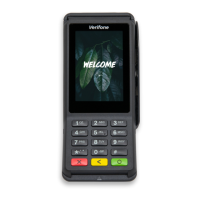
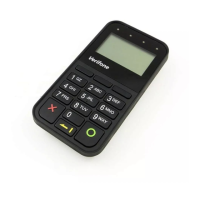
PP1000 se Device Description

Describes the PP1000se as a CTLS and peripheral data entry device.

PP1000 se Installation and Setup Guide

Selecting the Installation Location

Provides guidelines for choosing the optimal installation location for the device.

Environmental Factors for Device Placement

Advises on environmental conditions to avoid for proper device operation.

Electrical Considerations for Setup

Details electrical factors and precautions for safe device installation.

PIN Protection Measures for Privacy

Outlines methods to ensure PIN entry privacy and security.

Ensuring User Privacy During PIN Entry

Provides guidelines to protect user privacy during PIN entry.

Attaching the Controller Cable to PP1000 se

Step-by-step guide for connecting the controller cable to the device.

Connecting PP1000 se via USB

Instructions for connecting the PP1000se to a host device using a USB cable.

PP1000 se Troubleshooting and Problem Solving

Troubleshooting Display Panel Issues

Offers solutions for issues where the device's display panel is not functioning.

Troubleshooting Keypad Response Problems

Provides steps to resolve problems with the device's keypad not responding.

PP1000 se Service, Support, and Maintenance

Service Returns and Repair Process

Details the procedure for returning the device for service or repair.

Summary

PP1000 se Device Overview

PP1000 se Device Description

Describes the PP1000se as a CTLS and peripheral data entry device.

PP1000 se Installation and Setup Guide

Selecting the Installation Location

Provides guidelines for choosing the optimal installation location for the device.

Environmental Factors for Device Placement

Advises on environmental conditions to avoid for proper device operation.

Electrical Considerations for Setup

Details electrical factors and precautions for safe device installation.

PIN Protection Measures for Privacy

Outlines methods to ensure PIN entry privacy and security.

Ensuring User Privacy During PIN Entry

Provides guidelines to protect user privacy during PIN entry.

Attaching the Controller Cable to PP1000 se

Step-by-step guide for connecting the controller cable to the device.

Connecting PP1000 se via USB

Instructions for connecting the PP1000se to a host device using a USB cable.

PP1000 se Troubleshooting and Problem Solving

Troubleshooting Display Panel Issues

Offers solutions for issues where the device's display panel is not functioning.

Troubleshooting Keypad Response Problems

Provides steps to resolve problems with the device's keypad not responding.

PP1000 se Service, Support, and Maintenance

Service Returns and Repair Process

Details the procedure for returning the device for service or repair.

VeriFone PP1000se Specifications

General IconGeneral
Processor32-bit microprocessor
ConnectivityRS-232, USB
Card ReaderIntegrated magnetic stripe reader
Operating Temperature32° to 104° F (0° to 40° C)
CertificationsEMV L1 & L2

Related product manuals