9
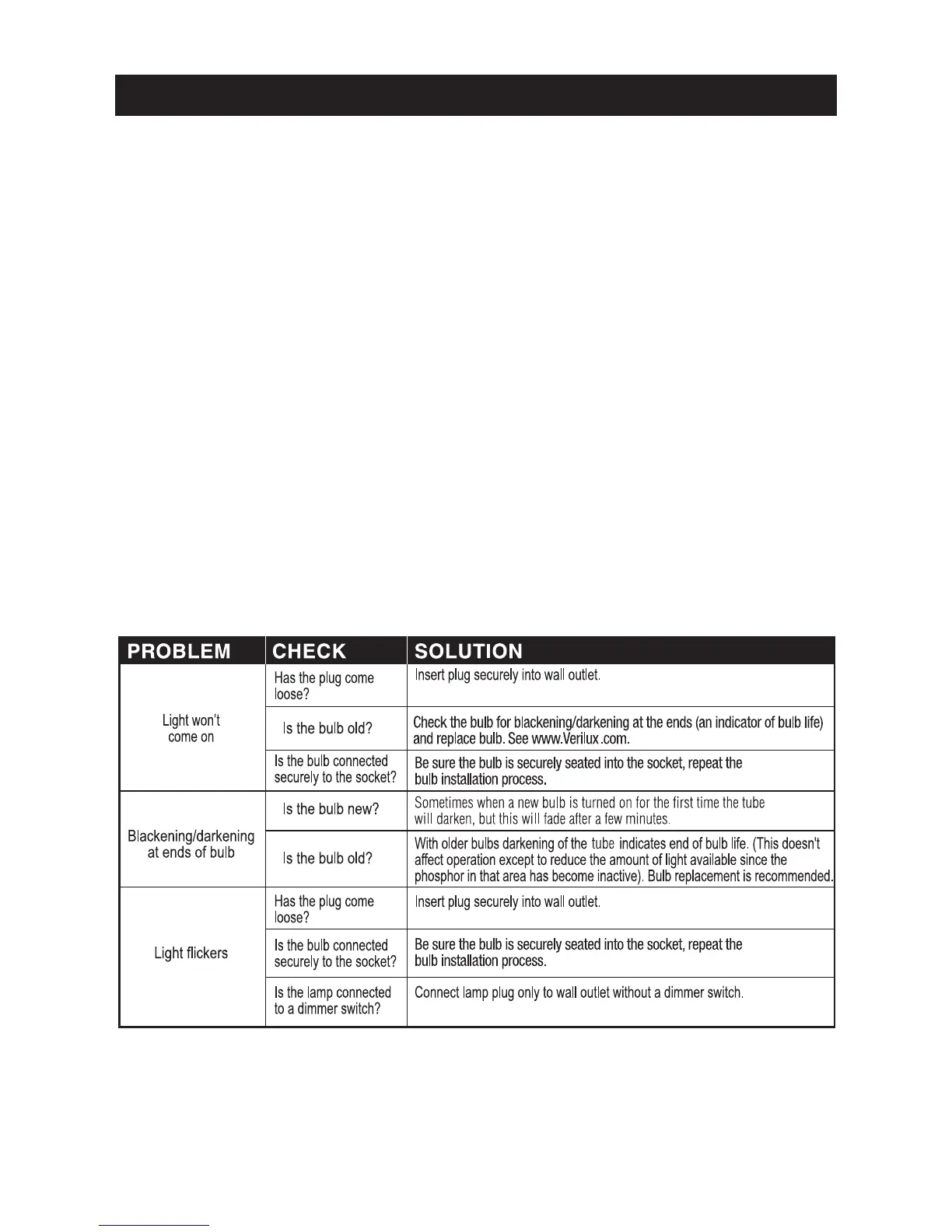
TROUBLESHOOTING
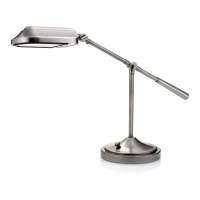
Your Verilux
®
desk lamp uses advanced micro-electronics to power
the revolutionary Trucolite™ bulb. These electronics are housed in a
specially designed ballast located at the power plug. The LED indicator
light on the ballast allows you to troubleshoot any problems with the
lamp’s function. When replacing your Verilux
®
ballast, take care to plug
in the power cord properly. The 4-pin plug was designed to fi t in only
one orientation (See Assembly Instructions on page 5).
Before requesting service on your Verilux
®
lamp, please check the
following:
• Make sure all power connectors, cords, and plugs are inserted fully
and securely.
• Be sure the bulb is securely seated into the socket. (See page 8).
• Unplug the lamp for a few minutes (this allows the electronics in the
ballast to reset).
• Make sure there is power to the wall outlet or try another outlet.
WARNING: Do not block vents on ballast. Vents are necessary for
proper function of the ballast; blocking them may cause overheating of
the ballast and increase risk of fi re.


 To Next Page