990-03558-00 Rev B
DCO-00245
● Battery & Device ID
Devices with firmware version 49.000 and above
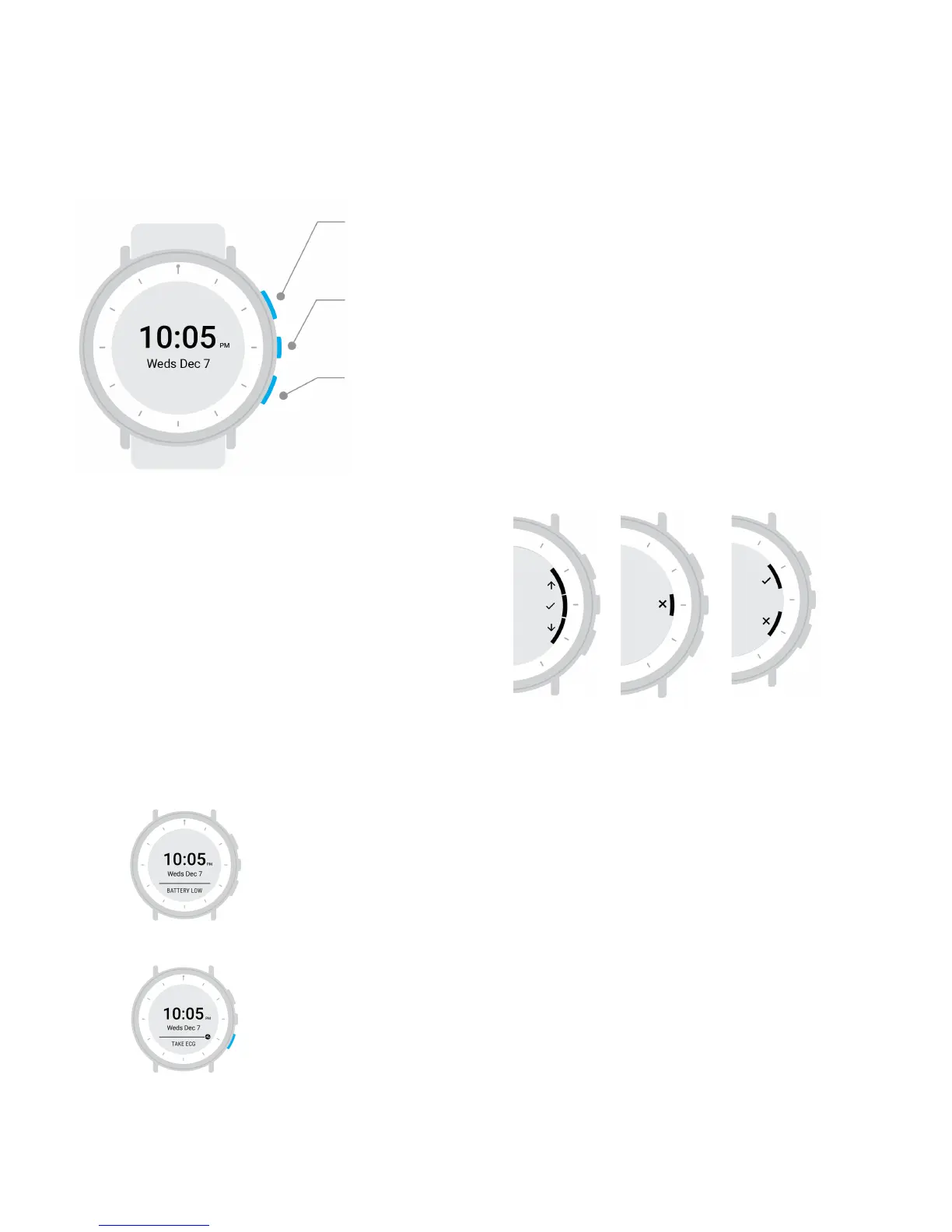
The top button is used for actions on-screen and turns on the display light
(from the clock screen).
The middle button opens the menu and is used for actions on-screen.
The bottom button is used for actions on-screen.
Actions on the Study Watch screen
Each button on the watch may correspond to different
actions on the watch. Icons appear on-screen to let you know
what action each button will take.
Home screen alerts and reminders
Alerts may appear towards the bottom of the home screen. It is important to act on the alert
messages to ensure that your Study Watch works properly. Examples: Battery Low, Please Sync,
Off Wrist
Reminders to take action on a study task may appear on the watch face with an accompanying
shortcut, indicated by a small icon near the bottom button. If you see a shortcut icon, push the
bottom button to complete the related task.
Examples: Take ECG, Message, Take Survey


 To Next Page
 Loading...