6
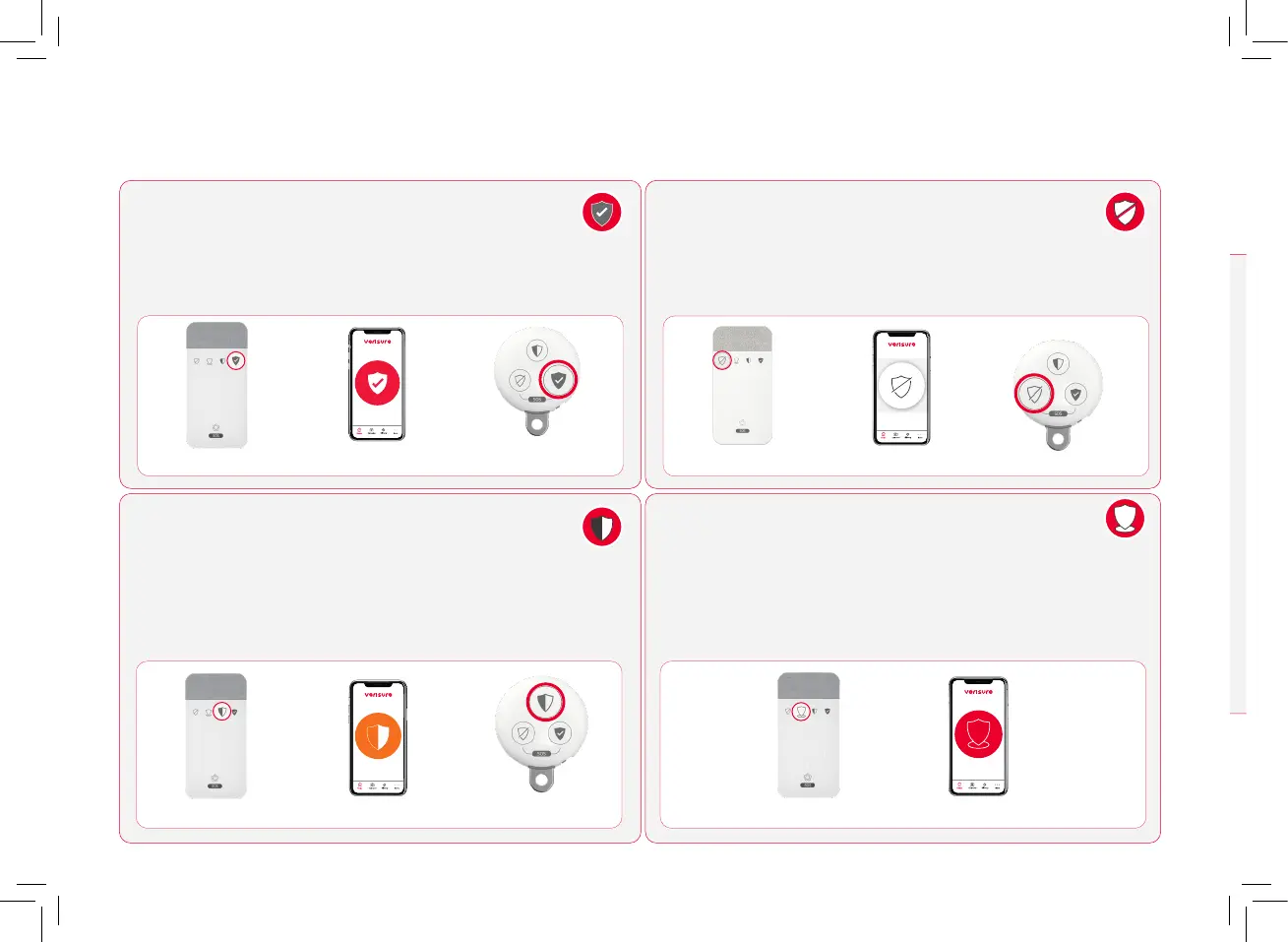
MY VERISURE APP REMOTE CONTROL
Disconnected
Partial Mode
Perimeter Mode
KEY READER
WHEN YOU LEAVE YOUR HOME OR BUSINESS
CONNECTION IN FULL MODE
When you leave your home or business and there is no one left
inside, set the alarm to away mode. With this arming mode, all
detectors are active and your property is fully protected.
WHEN YOU’RE AT HOME OR BUSINESS
ARMING IN HOME-MODE
If you are in your home or business, we recommend connecting the
alarm in home mode to stay protected. This will activate only the
detectors in the areas you configure, so you can move freely around
the rest of the installation. Note: we recommend arming the
partial mode as long as you’re inside your home or business.
WHEN YOU’RE AT HOME OR BUSINESS
ARMING IN PERIMETER MODE
The perimeter mode allows you to activate only perimeter detectors,*
so that the outer area is protected.
*This feature will be available on future upgraded
perimeter detectors
WHEN YOU ENTER YOUR HOME OR BUSINESS
DISARMING
When you access your home or business, disarm the alarm.
This way, you can freely access and move throughout the
installation, as the detectors will be no longer active
KEY READER
MY VERISURE APP
REMOTE CONTROL
KEY READER
MY VERISURE APP
KEY READER
REMOTE CONTROL
MY VERISURE APP
Away Mode
Arming Modes


 To Next Page