7
TO CHANGE THE STATUS OF YOUR ALARM
Follow the steps below:
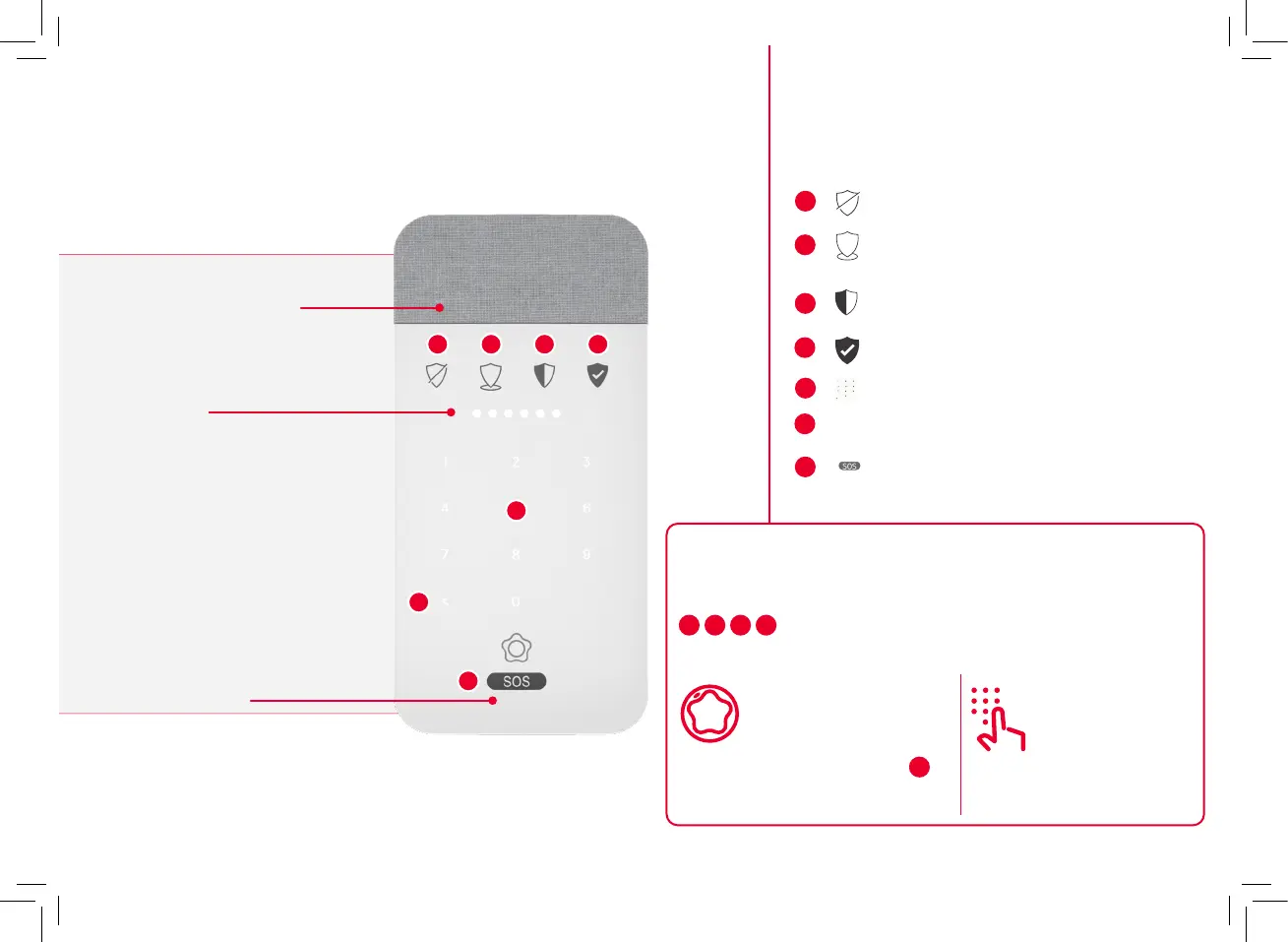
Click the mode that you want to activate your system in
1
,
2
,
3
,
4
or Identify how you want to arm the system
through one of the two options:
1
2
3
4
5
6
7
1
Disarm Button
Arm Button in Perimeter Mode
Arm Button for Home Mode
Arm Button for Away Mode
Keyboard and Key Reader
< Cancel/Delete
SOS Button (Hold down
until all indicators light up)
2
3
4
5
6
7
Enter your
pin code
Present your smart key
by placing it in the cen-
tre of the keypad (
5
).
Option 1 Option 2
Control devices: description and use
Voicepad
Speaker and siren
LED’s
Microphone


 To Next Page