8
4
7
1 1
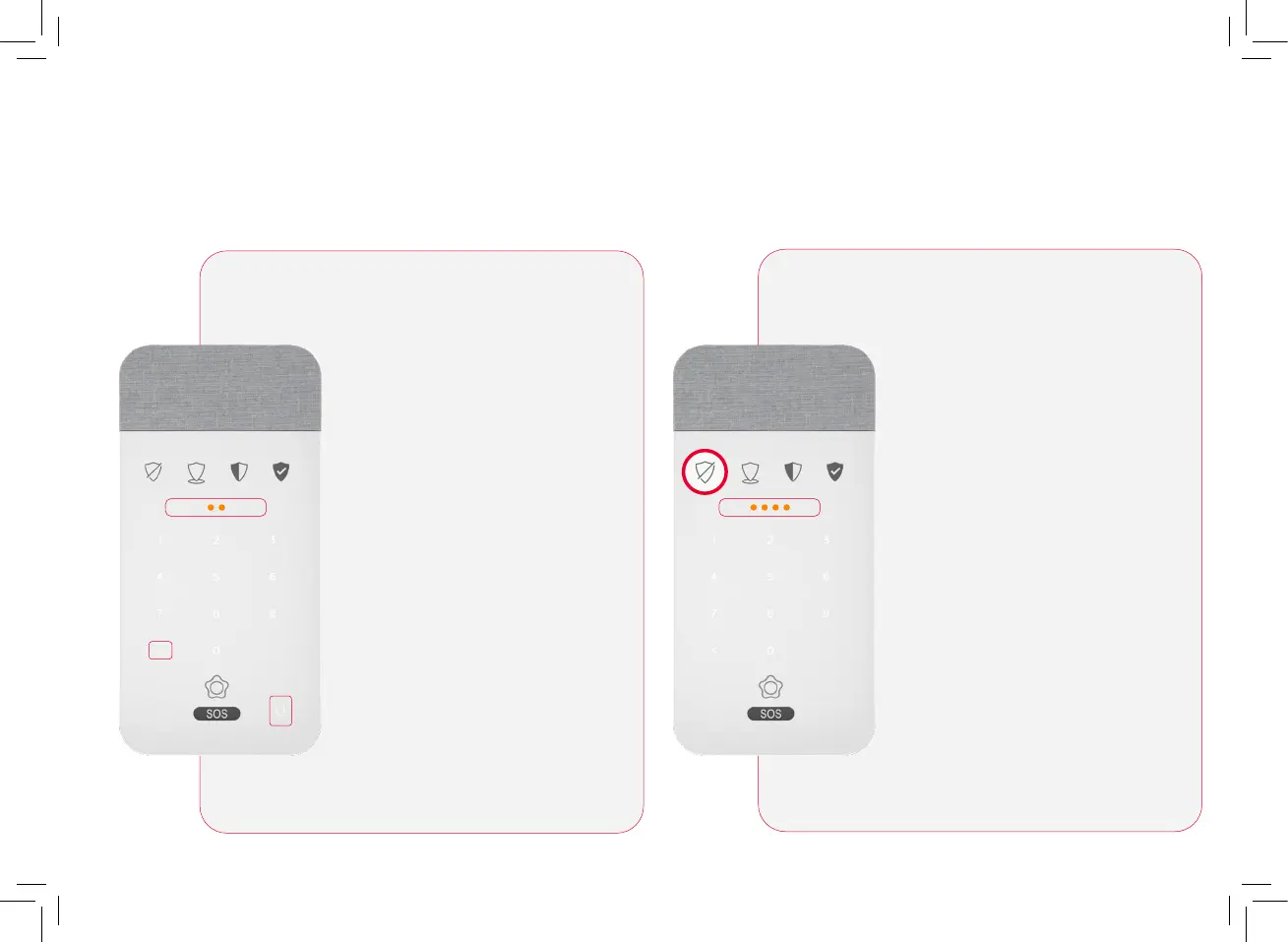
Voicepad: Understanding the LED notifications
The Voicepad will notify you of
any technical information you
will need to keep your system
working optimally. When you
have a notification you will see
two Amber lights.
To listen to the notification,
tap the microphone and then
identify yourself by presenting
your smart key or entering
your pin code. Finally, press the
“cancel/delete” button (<) and
the indicator lights will turn off.
The indicator lights will remain
illuminated in yellow - until it is
resolved.
Note: You can press the “cancel/
delete” button (<) at any time to
stop listening to notifications
The Voicepad will also notify you
of any security information you
have received while your system
has been armed. When you have
a security notification you will
see four amber LEDs.
The numbers associated with the
device(s) that have been affected
will be displayed on
the keyboard.
Finally, to confirm that you have
been informed you must press
the “cancel/ delete” button (<).
Technical Notifications Intrusion notifications
Control devices: description and use


 To Next Page