Warning: The appliance weighs in excess of 52 lbs (24 kg). Use appropriate tools and techniques
to lift and move the appliance. Make sure that the appliance does not destabilize the rack when it is
pulled forward.
Note: If the appliance has attached storage shelves, they need to be disconnected from the appliance
while the appliance is serviced. The best practice is to turn off the shelves before you work on the
rack they are housed in, but it is not required.
Requirements
Verify that you have the following items:
• Appliance replacement rail kit
• Philips screwdriver
• ESD wrist strap
Removing the appliance from the rack
To remove the appliance from the rack
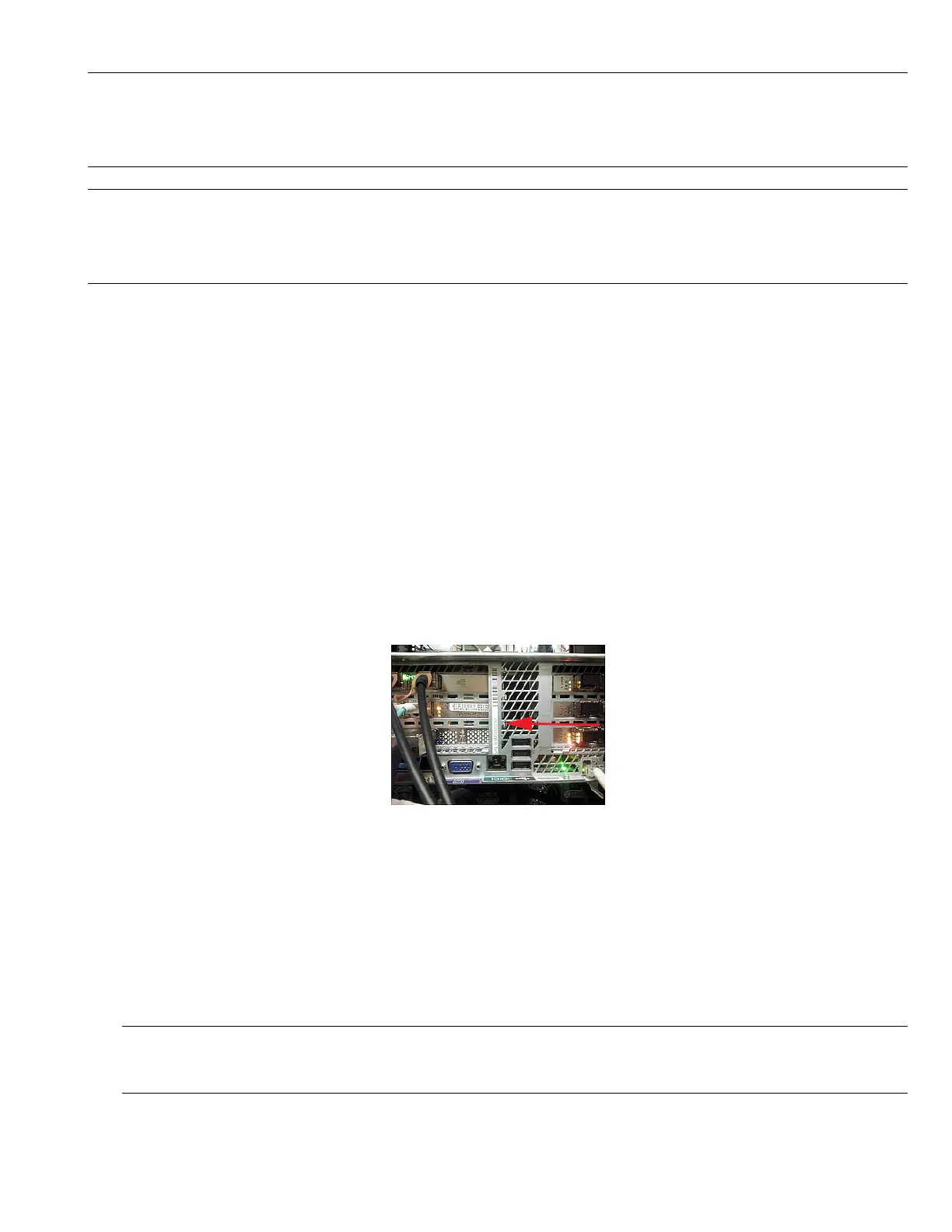
1 Verify the appliance serial number. The serial number begins with the letters VTAS, and is located
on a label on the rear panel of the appliance.
2 Before you perform service, the appliance needs to be turned off with a soft shutdown. A soft
shutdown informs the NetBackup Appliance operating system to stop and close all active
processes. A soft shutdown also stops all communications to the attached storage shelf or shelves.
After the operating system stops all of the processes, the appliance powers itself off.
To perform a soft shutdown, use the Support > Shutdown command in the NetBackup Appliance Shell
Menu.
Note: Before performing a soft shutdown, ensure that all backup and restore operations have
been completed.
2
HSP #179: Rail Replacement


 To Next Page