pg
20
THE BASICS
Windows users:
To sync your info, you must install Palm
®
Desktop software from the
Getting Started CD that came with your smartphone—even if you sync with Outlook
(sold separately) or another third-party application. See the
User Guide
for info.
How each application syncs depends on your computer type and the desktop software
you are using, as follows:
NOTE: You can customize which applications synchronize. See the User Guide for information.
1:
Connect your smartphone to your computer (see the
User Guide
for instructions).
2:
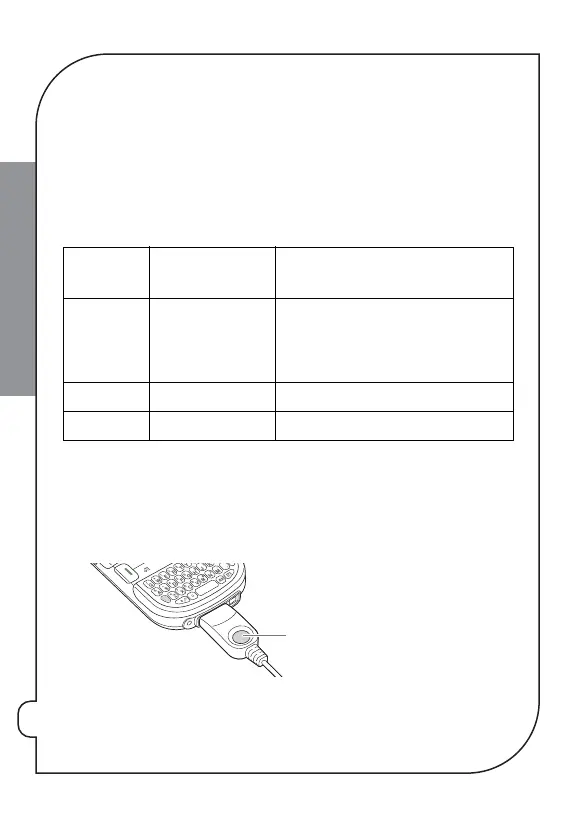
Press the
sync button
on the sync cable.
*
Sync button
Computer
Type
Desktop
software type
What syncs and where
Windows Microsoft Outlook
(sold separately)
Calendar, Contacts, Memos, and Tasks sync
with Outlook.
Pics&Videos syncs with Palm Desktop.
Windows Palm Desktop All apps sync with Palm Desktop.
Mac Palm Desktop All apps sync with Palm Desktop.


 To Next Page