1
2
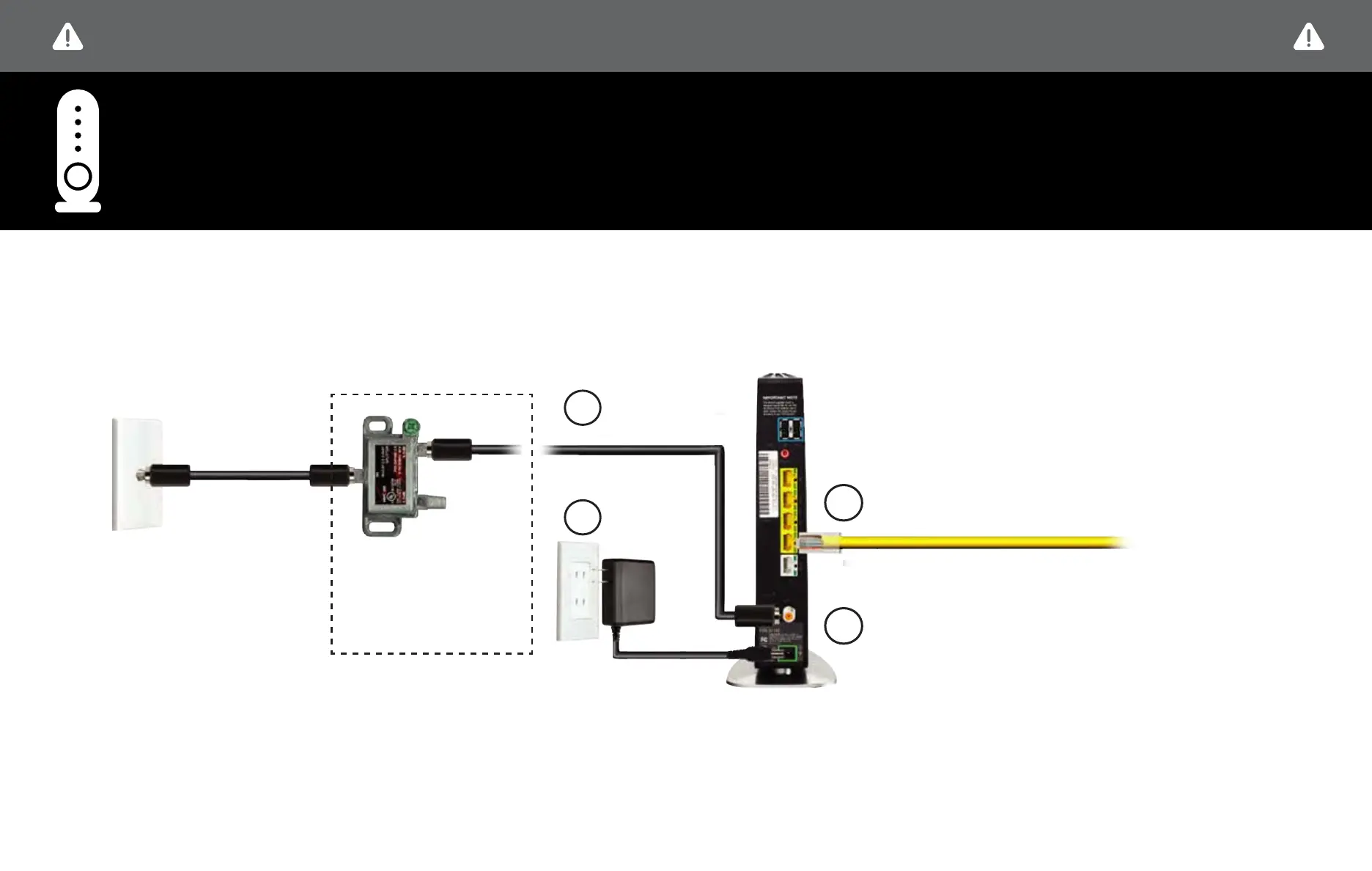
STEP 1A: Fios ROUTER SETUP
Connect the
Coax Cable
Connect the
Power Cord
OPTIONAL: If a TV will be
connected to the same
coax wall outlet as your
router, connect a 2-way
splitter as shown.
Connect the Ethernet cable to the yellow port on your
router and then to your computer.
Coax Cable
to FiOS Router
STEP 1 - Fios Router Setup
BEFORE YOU BEGIN, DISCONNECT ALL OF THE EXISTING TV EQUIPMENT THROUGHOUT YOUR BUSINESS
4
3
Lights on the Fios Quantum Gateway will turn white
once activated. (This may take up to 6 minutes).
NOTE: Details about router placement and Wi-Fi signal strength are available at verizon.com/bizfiosquantumgateway .

















 To Next Page