14 - mount mount - 15
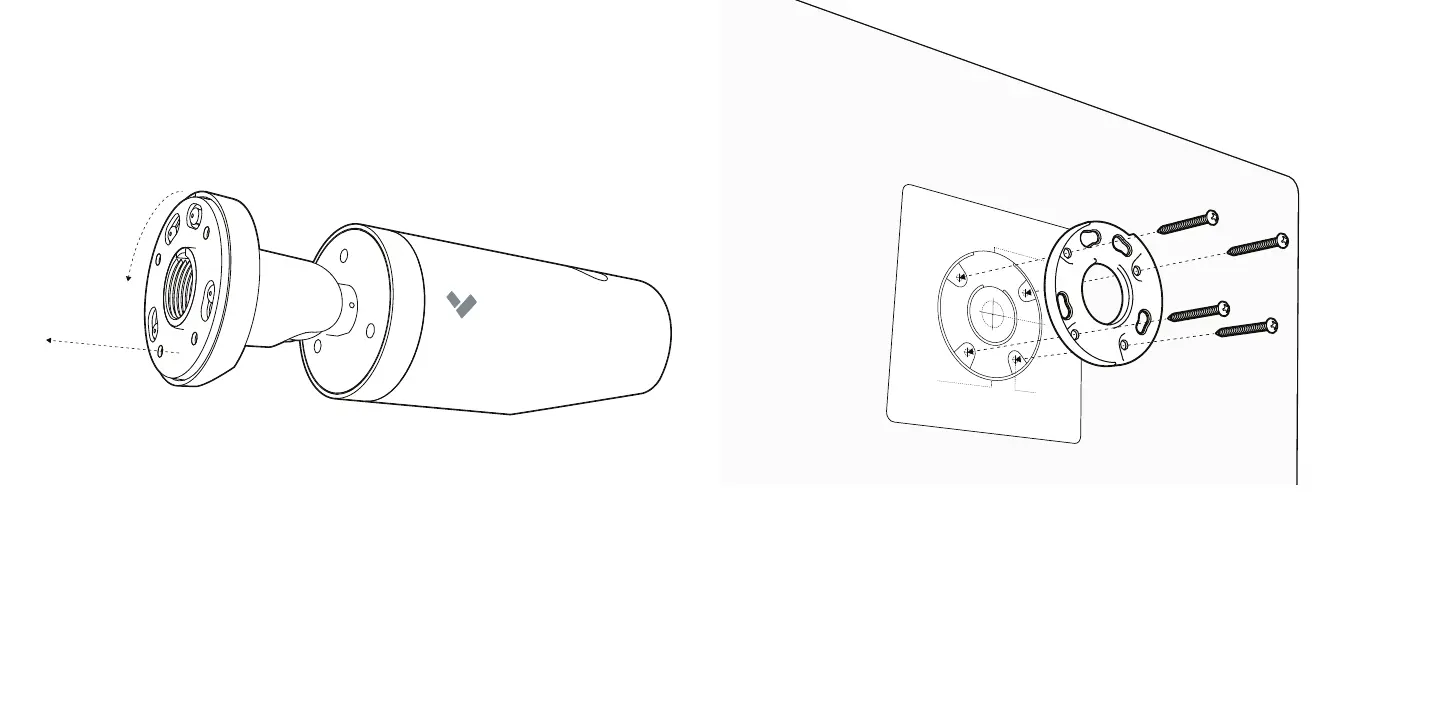
Use the provided mounting template to mark Mount Plate holes.
For a solid material like wood or metal, drill 1/8 inch pilot holes. Drive mounting
screws directly into the pilot holes.
For drywall, plaster or masonry, separate wall anchors may be required.
To remove the Mount Plate from the Base Plate, twist the Mount Plate counter-
clockwise then pull the Mount Plate o of the underside of the Base Plate.
1
2



 To Next Page