16 - mount mount - 17
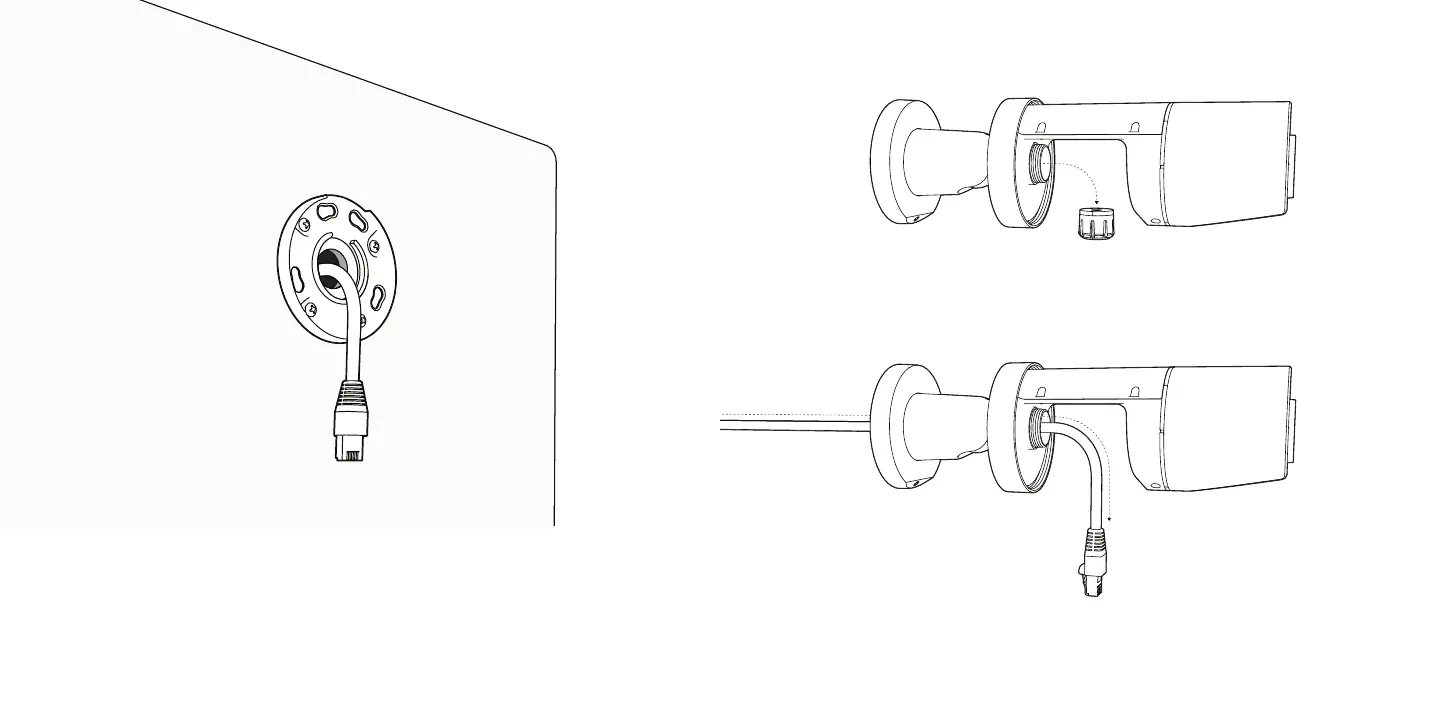
Feed ethernet cable through the center of the Mount Plate
before fully securing it to the mounting surface.
Leave enough slack to safely handle the camera during cable
gland installation.
Remove the cable gland from CB51 / CB61.
Route the ethernet cable through the Mount Plate and ball
joint. Leave the cable disconnected for now.


 To Next Page