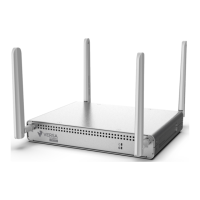
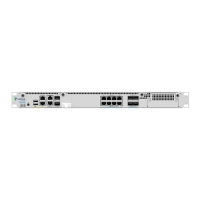
Components Quantity
CSG300 series appliance chassis 1
AC power adapter 1
Power cable 1
Cat 6 cable 1
Cat 5e cable 1
LTE antenna (included with LTE module only)
2 for single LTE module
4 for dual LTE module
WiFi antenna (included with WiFi module only) 2
GPS antenna 1
Rack-mounting ears 2
Screws for mounting ears
6—M4x8 mm #6 Torque: 1.18+/-0.05 N.M.
4—#12-24, 12.7 mm Torque: 3.2+/-0.05 N.M.
Mount a CSG300 Series Appliance in a Rack
You can mount a CSG300 series appliance in a four-post 19-inch rack. Two people are required to mount the appliance.
To mount the appliance, ensure that you have the following tools:
• Number 2 Phillips (+) screwdriver
• Tape measure
To mount a CSG300 series appliance in a four-post 19-inch rack:
1. Place the appliance chassis on a flat, stable surface.
2. Check the internal dimensions of the rack with a tape measure. The appliance is 22 cm wide (about 8.6 inches
wide) and must fit within the mounting posts.
3. Allow a minimum of 0.5 RU space above the appliance for airflow, to allow hot air to flow out. However, it is
recommended that you allow 1 RU space above the appliance.
Figure 2: Space a CSG300 Series Appliance when Rack Mounting
https://docs.versa-networks.com/Hardware/Cloud_Services_Gateway_300_Series/Planning_and_Installation/03_Install_a_CS…
Updated: Wed, 01 Apr 2020 19:02:26 GMT
Powered by
3



 To Next Page