on many factors such as weather, mountains, interference, and other radio emitting devices near-by. Tuning
To tune the video quality you can connect to your UAV with the VCS. On the VCS open the Chrome browser
and navigate to http://192.168.0.201. This will open the login page to the TRIP camera board computer. The
username is admin and the password is microcam. You may change this as required.
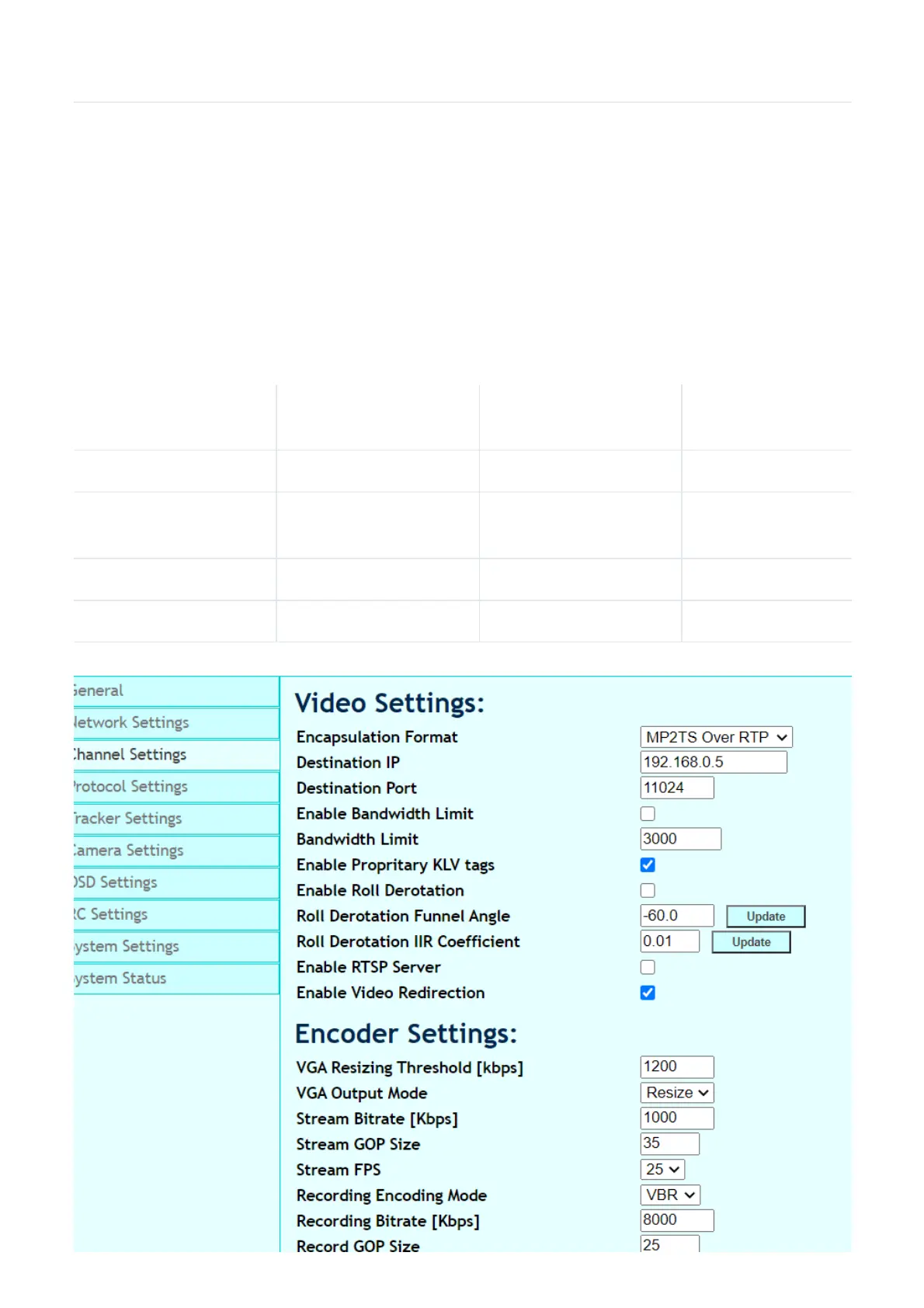
To change the quality settings for your video stream click on "Channel settings" and change the values as
indicated below. After changing the values click on "UPDATE" at the bottom of the screen. It is
recommended to restart the CCA2 program on the VCS after changing these values.
Item
Low quality
Long range
Medium quality
Medium range
High quality
Short range
Bandwidth Limit 2000 3000 5000
VGA Resizing
Threshold
250 1000 1800
Stream Bitrate 300 1200 2000



 To Next Page