2.
Place a waypoint 2 meters before the target drop zone
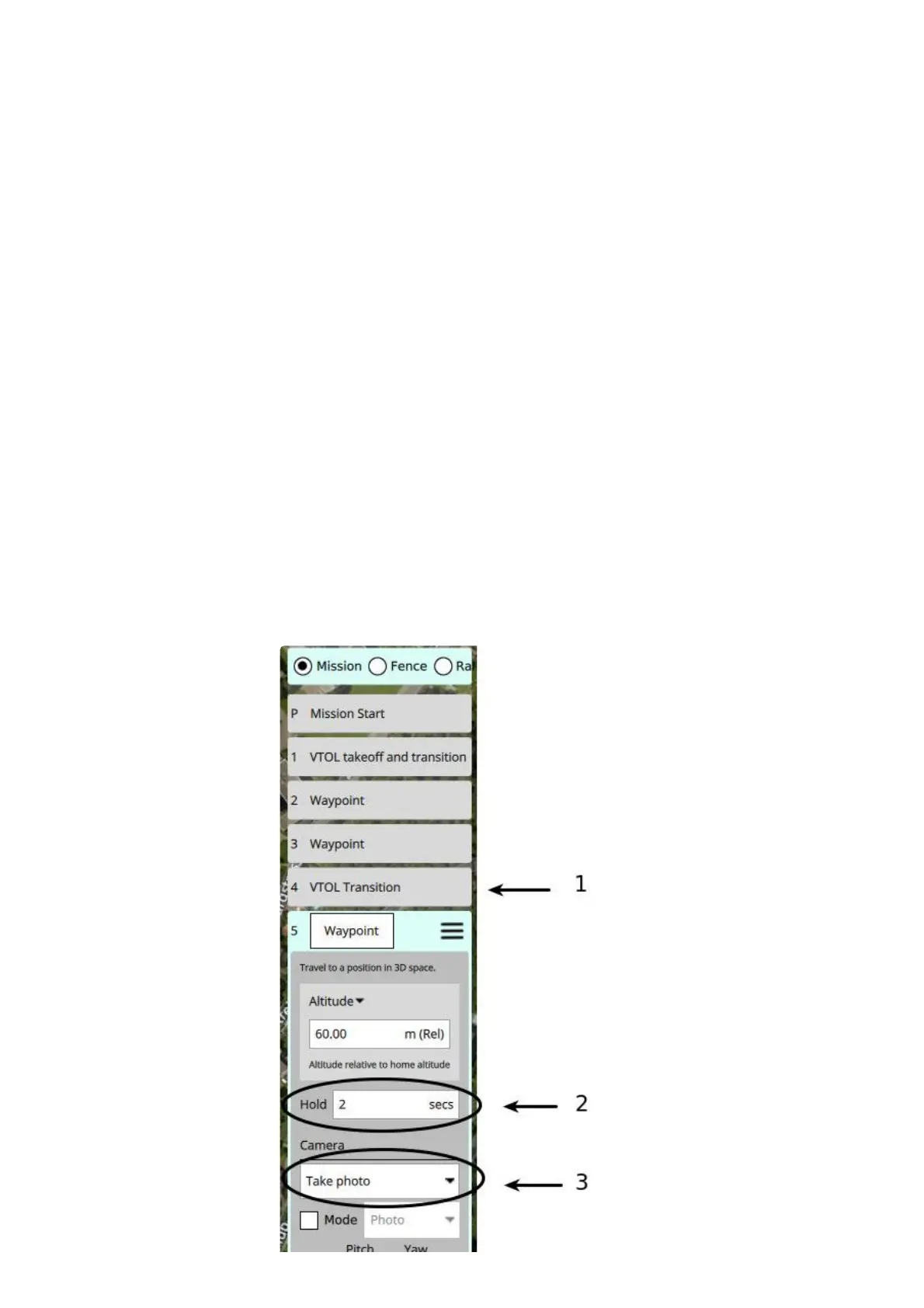
3. Place an extra waypoint near the drop zone, as indicated below (1)
1. Change the category to VTOL
2. Select VTOL Transition
3. Select the mode "Hover mode"
4. Place a waypoint on top of the drop zone
1. Change the "Hold" value to 2 seconds, as indicated below (2)
2. Expand the "Camera" options by clicking on it
3. Set the camera action to "Take Photo" as indicated below (3)
5. Place an extra waypoint after the drop waypoint
1. Change the category to "VTOL"
2. Select VTOL Transition
3. Select the mode "Plane mode"
6. Make sure the next waypoint is at least 300m away from the drop zone, and in a straight line in relation
to the approach path.
7. If the altitude of the drop zone was lowered (< 40m) then make sure the altitude is increased again
before performing the transition to fixed wing mode. This can be done by placing an extra waypoint 2
meters after the payload drop waypoint with the correct altitude.



 To Next Page