EasyManua.ls Logo

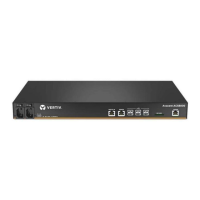
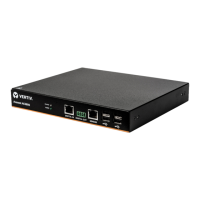
Vertiv Avocent ACS8000 - User Manual

Vertiv Avocent ACS8000
112 pages
Print Icon
To Next Page IconTo Next Page
Loading...
Avocent
®
ACS800/8000
Advanced Console System
Installer/User Guide

Table of Contents

Other manuals for Vertiv Avocent ACS8000

Question and Answer IconNeed help?

Do you have a question about the Vertiv Avocent ACS8000 and is the answer not in the manual?

Summary

1 Introduction

Features and Benefits

Details various features like access options, web UI, network support, security, authentication, VPN, and power management.

Configuration Examples

Illustrates typical system configurations with diagrams and descriptions of hardware options.

2 Getting Started

Installation

Refers to the Quick Installation Guide for initial hardware setup procedures.

Turning On the Console System

Provides instructions for powering on the console system using AC or DC power.

Configuring a Console System

Describes initial configuration methods via CLI, web UI, or RestAPI.

3 Accessing the Console System via the Web UI

Wizard Mode

Details the step-by-step configuration process using the Wizard mode for initial setup.

Web User Interface Overview for Administrators

Provides an overview of the administrator interface, detailing screen areas and navigation.

Expert Mode

Explains the features and navigation available in Expert mode for advanced configuration.

Authentication

Details appliance and user authentication methods and configuration options.

Power management

Covers managing PDUs and UPS devices connected to the system for power control.

Appendix A: Technical Specifications

General Information

Provides hardware specifications including CPU, Memory, and Interfaces.

Power Information

Details power supply and consumption specifications for the console system.

Ambient Atmospheric Condition Ratings

Lists operating and storage temperature, and humidity ratings for the system.

Appendix B: Zero-touch Provisioning

Zero-touch provisioning configuration file

Explains the need for a console system configuration file for provisioning.

Setup file

Details creating a setup file for console system identification and provisioning.

DHCP server configuration

Covers configuring DHCP server options for zero-touch provisioning.

Enabling zero-touch provisioning

Explains how to enable zero-touch provisioning via web UI or CLI.

Appendix C: Bootp Configuration Retrieval

To generate configuration to be retrieved:

Describes generating a configuration file for retrieval via FTP or locally.

To reconfigure a console system with bootp:

Explains how to reconfigure a console system using Bootp after enabling it.

Appendix D: SSH Setup Allowing RSA Keypair Authentication Instead of a Username;Password

To set up a client Linux system to access the ACS800;8000 advanced console system:

Guides setting up SSH keypair authentication for client access, disabling password prompts.

Appendix E: Port Information for Communication with the Vertiv Avocent DSView Software

Appendix F: Accessing a Console System with a Vertiv Avocent DSView Software Installation via Dial-up

F.1 Installing Vertiv Avocent DSView software out of band

Details installing DSView software for out-of-band access via modem.

F.2 Configuring dial-up for a console system

Covers configuring dial-up settings within the DSView software for system access.

Appendix G: Internal Analog Modem

Sample Command String

Provides examples of AT commands for controlling modem functions.

Basic AT Commands

Lists and describes common AT commands for modem operation and configuration.

AT S registers

Explains the format and usage of AT S registers for modem configuration.

Basic modem result codes

Lists and explains common result codes issued by the modem in response to AT commands.

Appendix H: Regulatory Information Concerning the Analog Modem Installed in this Product

Analog telecom safety warnings

Provides safety warnings related to telephone line installation and usage.

International modem restrictions

Covers dialing and answering defaults and restrictions for international modems.

Thailand approval for MT5692 SMI

Compliance information for Thailand's telecommunications regulator.

New Zealand telecom warning notice

Telecom warning notice for New Zealand regarding equipment usage.

Summary

1 Introduction

Features and Benefits

Details various features like access options, web UI, network support, security, authentication, VPN, and power management.

Configuration Examples

Illustrates typical system configurations with diagrams and descriptions of hardware options.

2 Getting Started

Installation

Refers to the Quick Installation Guide for initial hardware setup procedures.

Turning On the Console System

Provides instructions for powering on the console system using AC or DC power.

Configuring a Console System

Describes initial configuration methods via CLI, web UI, or RestAPI.

3 Accessing the Console System via the Web UI

Wizard Mode

Details the step-by-step configuration process using the Wizard mode for initial setup.

Web User Interface Overview for Administrators

Provides an overview of the administrator interface, detailing screen areas and navigation.

Expert Mode

Explains the features and navigation available in Expert mode for advanced configuration.

Authentication

Details appliance and user authentication methods and configuration options.

Power management

Covers managing PDUs and UPS devices connected to the system for power control.

Appendix A: Technical Specifications

General Information

Provides hardware specifications including CPU, Memory, and Interfaces.

Power Information

Details power supply and consumption specifications for the console system.

Ambient Atmospheric Condition Ratings

Lists operating and storage temperature, and humidity ratings for the system.

Appendix B: Zero-touch Provisioning

Zero-touch provisioning configuration file

Explains the need for a console system configuration file for provisioning.

Setup file

Details creating a setup file for console system identification and provisioning.

DHCP server configuration

Covers configuring DHCP server options for zero-touch provisioning.

Enabling zero-touch provisioning

Explains how to enable zero-touch provisioning via web UI or CLI.

Appendix C: Bootp Configuration Retrieval

To generate configuration to be retrieved:

Describes generating a configuration file for retrieval via FTP or locally.

To reconfigure a console system with bootp:

Explains how to reconfigure a console system using Bootp after enabling it.

Appendix D: SSH Setup Allowing RSA Keypair Authentication Instead of a Username;Password

To set up a client Linux system to access the ACS800;8000 advanced console system:

Guides setting up SSH keypair authentication for client access, disabling password prompts.

Appendix E: Port Information for Communication with the Vertiv Avocent DSView Software

Appendix F: Accessing a Console System with a Vertiv Avocent DSView Software Installation via Dial-up

F.1 Installing Vertiv Avocent DSView software out of band

Details installing DSView software for out-of-band access via modem.

F.2 Configuring dial-up for a console system

Covers configuring dial-up settings within the DSView software for system access.

Appendix G: Internal Analog Modem

Sample Command String

Provides examples of AT commands for controlling modem functions.

Basic AT Commands

Lists and describes common AT commands for modem operation and configuration.

AT S registers

Explains the format and usage of AT S registers for modem configuration.

Basic modem result codes

Lists and explains common result codes issued by the modem in response to AT commands.

Appendix H: Regulatory Information Concerning the Analog Modem Installed in this Product

Analog telecom safety warnings

Provides safety warnings related to telephone line installation and usage.

International modem restrictions

Covers dialing and answering defaults and restrictions for international modems.

Thailand approval for MT5692 SMI

Compliance information for Thailand's telecommunications regulator.

New Zealand telecom warning notice

Telecom warning notice for New Zealand regarding equipment usage.

Vertiv Avocent ACS8000 Specifications

General IconGeneral
BrandVertiv
ModelAvocent ACS8000
CategoryNetwork Hardware
LanguageEnglish

Related product manuals