2019/08/21 02:55 9/12 Spectroscopy Module
Product Manuals - https://www.vescent.com/manuals/
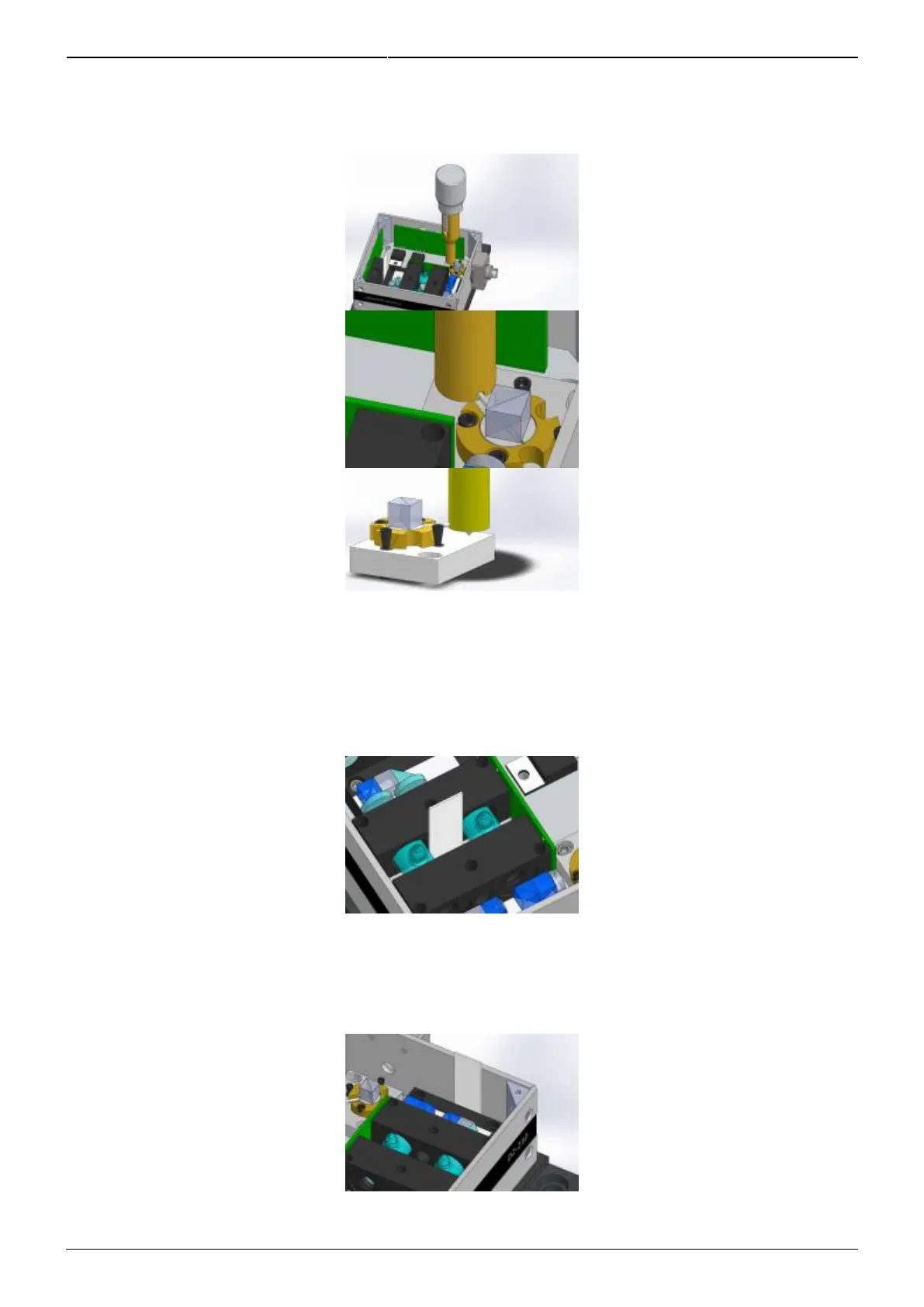
Place the alignment tool so that the indent captures the end of the alignment rod as shown7.
below.
To use the adjuster, gently push down to seat the point as shown above. To adjust the beam1.
right and left, use a small twisting motion. To adjust the beam up and down, use your other
hand to turn the knurled cylinder.
Place a viewing card in the path of the pump beam as shown. Center the beam through the2.
passage.
Move the viewing card to the output port of the pump/probe PBS as shown below. Adjust the1.
beam so that it is centered on the output face of the PBS. At this point, the beams should be
well aligned and overlapped.
Place a viewing card in front of the Reference photodiode as shown below.1.


 To Next Page