EasyManua.ls Logo

VESTEL 28HB5100 - User Manual

VESTEL 28HB5100
73 pages
Go to English
Print Icon
To Next Page IconTo Next Page
Loading...
TELEViZYON
KULLANIM KILAVUZU
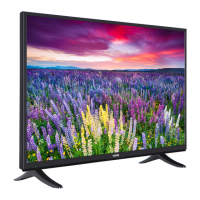
SATELLITE 28HB5100 28” LED TV
OPERATING INSTRUCTIONS

Questions and Answers

  • K
    Kevin PatelAug 17, 2025
    How to fix a VESTEL 28HB5100 that won't turn on?
    • A
      andersonjohnAug 17, 2025
      If your VESTEL LED TV isn't turning on, there are a couple of things you can check: * Ensure the power cable is securely plugged into the wall socket. * Replace the remote control batteries with new ones and try pressing the On/Off button on the TV itself.
  • P
    Patricia SimpsonAug 19, 2025
    What to do if my VESTEL 28HB5100 LED TV has no display?
    • G
      Greg LewisAug 20, 2025
      If your VESTEL LED TV shows no display, it could be due to several reasons: * Your TV might not be receiving any broadcast signal. * The antenna might be connected incorrectly or the antenna cable might be damaged. * You might have pressed incorrect buttons on the remote control or selected the wrong input source. Make sure that you have broadcast on your TV, antenna is connected correctly, antenna cable isn't damaged, and you've selected the correct input. If you are unsure about the antenna connection, have an authorized person check it. Retry using the remote, ensuring you press the correct buttons.
  • D
    David RollinsAug 22, 2025
    Why is the image quality bad on my VESTEL 28HB5100?
    • E
      Elizabeth RobertsAug 22, 2025
      Poor image quality on your VESTEL LED TV can stem from several factors: * The incorrect TV system might be selected. * The signal level could be low. * Incorrect frequency settings during a manual search. * Having the antenna connected to two external devices simultaneously. Ensure you've selected the correct TV system, check the antenna connection for a strong signal, verify the frequency settings if you're performing a manual search, and disconnect one of the devices if the antenna is connected to two.
  • K
    Kimberly SchneiderAug 25, 2025
    How to troubleshoot a VESTEL LED TV remote control that is not working?
    • T
      Taylor McbrideAug 26, 2025
      If your VESTEL LED TV remote control isn't working, consider these possibilities: * The battery may be discharged. * The batteries might be inserted incorrectly. * There could be an obstruction between the remote and the TV. Try replacing the batteries, ensuring they are installed with the correct polarity, and removing any obstacles that might be blocking the signal.
  • O
    othomasAug 27, 2025
    What to do if my VESTEL 28HB5100 is displaying but has no sound?
    • C
      Charles SalinasAug 27, 2025
      If your VESTEL LED TV is displaying images but there's no sound, the TV might be muted. To resolve this, press the mute button to cancel the mute option or simply turn up the volume.
  • J
    james78Aug 30, 2025
    Why can't I select input options on my VESTEL LED TV?
    • S
      Stephanie RodriguezAug 30, 2025
      If you're unable to select input options on your VESTEL LED TV, it might be because no device is currently connected. If you've already connected a device, double-check that the AV cables and connections are correct.
  • J
    jcoxSep 2, 2025
    How do I fix low contrast, brightness, and color on my VESTEL 28HB5100 display?
    • M
      Melissa ReyesSep 2, 2025
      If the contrast, brightness, and color on your VESTEL LED TV display appear low, the display settings might be incorrect. Try adjusting the contrast, brightness, and color settings to your preference.
  • N
    Nicole SmithSep 5, 2025
    What causes a bad display in computer mode on a VESTEL 28HB5100 LED TV?
    • J
      Jeremy MullinsSep 5, 2025
      If you're experiencing a bad display while using computer mode on your VESTEL LED TV, the screen resolution and settings of your computer and TV might be incompatible. Try changing the resolution information on your computer to match your TV's supported resolution.
  • W
    William PetersSep 8, 2025
    Why is there shade or reflection on my VESTEL 28HB5100 display?
    • W
      watkinsjeffreySep 8, 2025
      If you notice shade or reflection on your VESTEL LED TV display, it might be because tuning hasn't been performed. You should perform automatic or manual tuning/fine tuning.
  • S
    Shane HallSep 12, 2025
    Why is sound only coming from one speaker on my VESTEL 28HB5100?
    • D
      Derek HernandezSep 12, 2025
      If sound is only coming from one speaker on your VESTEL LED TV, the balance set might be adjusted to one extreme. Check the audio menu section to adjust the balance.

Summary

Important Safety-Related Information

General Safety Warnings

Provides general warnings for safe operation, including risks of injury and electric shock.

Safety Information

Electric Shock Safety

Instructions to reduce the risk of electric shock, including not removing covers and referring to qualified personnel.

Product Markings and Safety

Product Symbol Explanations

Explanation of symbols used on the product for restrictions and safety instructions.

Battery Safety Warnings

Critical warnings regarding battery ingestion, chemical burns, and keeping batteries away from children.

Installation and Usage Safety

Wall Mounting Safety

Safety instructions and warnings specifically for mounting the TV on a wall.

Important Operational Precautions

Key instructions for safe installation and operation, including environmental and power cord safety.

Safety, Batteries, and Liability

Operational Safety Procedures

Safety precautions for cleaning, maintenance, transport, and shipping of the device.

Battery Handling and Warnings

Instructions for safe battery handling, including warnings and disposal.

Liability Limitation

Statement regarding the manufacturer's responsibility for damages and injuries.

VESTEL 28HB5100 Specifications

General IconGeneral
Screen Size28 inches
Display TypeLED
HDMI Ports2
USB Ports1
Contrast Ratio1000:1
Brightness250 cd/m²
Audio Output10W
Display Resolution1366 x 768
Backlight TypeLED
Aspect Ratio16:9
Refresh Rate50 Hz
Built-in Wi-FiNo
Smart TVNo
Energy Efficiency ClassA
Resolution1366 x 768 pixels

Related product manuals