EasyManua.ls Logo

VESTEL 55UA8990 - User Manual

VESTEL 55UA8990
116 pages
Go to English
Print Icon
To Next Page IconTo Next Page
Loading...
TELEViZYON
KULLANIM KILAVUZU
OPERATING INSTRUCTIONS
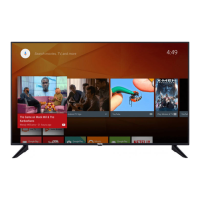
ANDROID 4K 55UA8990 55” LED TV

Table of Contents

Questions and Answers

  • A
    ashleyortizAug 18, 2025
    Why my VESTEL LED TV doesn't turn on?
    • K
      Kathy HunterAug 19, 2025
      Your VESTEL LED TV might not be turning on because the power cord isn't properly plugged into the outlet. Try unplugging the power cord from the outlet, waiting a minute, and then plugging it back in. Alternatively, the remote control batteries might be dead. Replace them and try pressing the On/Off button on the TV itself.
  • Z
    Zachary KingAug 21, 2025
    What to do if my VESTEL 55UA8990 LED TV remote control does not work?
    • P
      paynejohnAug 21, 2025
      If your VESTEL LED TV remote isn't working, first replace the batteries. If that doesn't work, check the remote's functionality with a mobile phone camera. Put your phone in camera mode and point the remote at the lens. If you see the infrared LED flashing when you press buttons, the remote is functioning. Also ensure that batteries are installed correctly, there is no barrier between the remote and TV, or the TV may require some time to start.
  • M
    michael33Aug 23, 2025
    Why is the image quality bad on my VESTEL 55UA8990?
    • C
      Cristina DavisAug 23, 2025
      Poor image quality on your VESTEL LED TV can be due to several reasons. The TV system selected might be incorrect, so ensure the correct one is selected. A low signal level can distort the image, so check your antenna connection. If manually searching for channels, verify the frequency settings are entered correctly. Also, if an antenna is connected to two devices, detach one of them.
  • D
    Dave ParsonsAug 26, 2025
    What to do if my VESTEL 55UA8990 LED TV has no display or display failure?
    • R
      Rita Howard MDAug 26, 2025
      If your VESTEL LED TV has no display, it could be due to several reasons: the TV isn't receiving a broadcast, so ensure it does. The antenna connection might be incorrect or the antenna cable may be damaged, so inspect these. Also, incorrect buttons might have been pressed on the remote, so retry. Ensure the image settings are correct and, if possible, try improving reception quality by changing the antenna direction and moving devices away from the TV. If the image is improper for the screen, switch to another image format. Ensure that supported resolution and refresh rate is used in the PC.
  • V
    veverettAug 27, 2025
    Why is there no audio on my VESTEL 55UA8990, but the display is on?
    • W
      walshdavidAug 27, 2025
      If you have display but no audio on your VESTEL LED TV, first ensure that the TV isn't muted by pressing the mute button or turning up the volume. Also, make sure all cables are connected correctly and that the audio output of the TV is connected to the audio input of any external audio system you're using.
  • C
    Cheryl BaileyAug 30, 2025
    What to do if I cannot find channel on VESTEL LED TV?
    • J
      James MontoyaAug 30, 2025
      If you cannot find a channel on your VESTEL LED TV, make sure that cables are connected correctly and the correct network is selected.
  • M
    Michele RossSep 1, 2025
    Why is the image quality bad on PC mode on my VESTEL LED TV?
    • M
      Marisa JacksonSep 1, 2025
      If you're experiencing bad image quality on PC mode with your VESTEL LED TV, the screen resolution or settings of your PC may be incompatible with the TV. Try changing the resolution of your PC.
  • D
    Dana WebbSep 3, 2025
    What to do if there are shades or reflections on the image of my VESTEL 55UA8990?
    • A
      Ashley WarrenSep 3, 2025
      If you're seeing shades or reflections on the image of your VESTEL LED TV, it might be because tuning hasn't been performed. Automatic and manual setting may help.
  • M
    Maria JenkinsSep 6, 2025
    What to do if input options cannot be selected on VESTEL 55UA8990?
    • J
      Jason TurnerSep 6, 2025
      If you cannot select input options on your VESTEL LED TV, first ensure that a device is connected to the TV. If you have connected a device, make sure the AV cables and connections are correct and that you have selected the correct input source for the connected device.
  • J
    Justin RileySep 8, 2025
    Why are display contrast, brightness and color low on VESTEL LED TV?
    • K
      Kevin DiazSep 8, 2025
      If the display contrast, brightness, and color are low on your VESTEL LED TV, the display settings might be incorrect. Try adjusting the contrast, brightness, and color settings.

Summary

Safety Information

Product Markings and Installation Safety

Explains product symbols and provides crucial safety guidelines for wall mounting.

Operational and Battery Safety

Safety precautions for cleaning, maintenance, transport, and battery handling.

Features, Licences, and Specifications

Key Product Features

Lists and describes the main functionalities and capabilities of the TV.

Technical Specifications

Details the technical parameters, dimensions, and power requirements of the TV.

Installation and Setup Guide

Stand Installation & Wall Mounting

Instructions for assembling the TV stand and mounting it on a wall.

Initial Setup Wizard

Step-by-step guide for the initial setup process, including language and network.

TV Operation and Controls

Turning On;Off and Standby Modes

Procedures for powering the TV on, switching to standby, and quick standby.

Remote Control Functions

Explains the functions and buttons of the primary remote control for TV operation.

Wireless Remote Controller Features

Details on using the wireless remote, including pairing and voice search.

Connectivity and System Settings

Device Connections and Network

Guide to connecting devices and configuring network settings for internet access.

Setup Menu Options

Covers various system settings like language, time, subtitle, teletext, and network.

Media Browsing and Troubleshooting

Media Browsing and Playback

How to access and play media files from USB, network servers, or mobile devices.

Troubleshooting Common Issues

Solutions for common problems like no display, bad image quality, or remote control malfunctions.

Important Product Information

Energy Saving and Disposal

Tips for energy saving and guidelines for environmentally friendly disposal of the TV and batteries.

Important Usage Warnings

Critical warnings regarding screen technology, fixed images, and product usage.

VESTEL 55UA8990 Specifications

General IconGeneral
Screen Size55 inches
Display TechnologyLED
Smart TVYes
HDRYes
Audio Output20 W
HDMI Ports3
USB Ports2
Wi-FiYes
EthernetYes
Refresh Rate60 Hz
BluetoothYes
Dimensions (W x H x D)1230 x 710 x 85 mm
Resolution3840 x 2160
Weight14 kg

Related product manuals