English - 34© 2021 Vestel - All rights reservedIB v7.3.0 2021
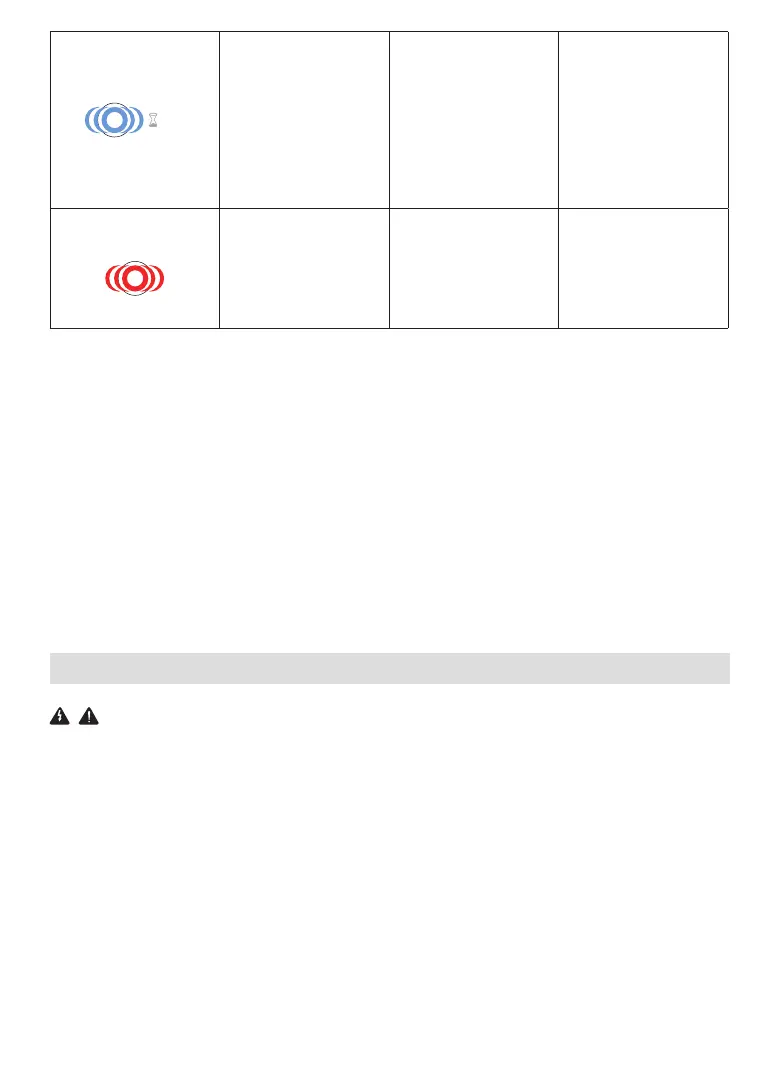
4 sec
Even if the status
information LED
blinks in blue every
four seconds, it is
not possible to start
charging the electric
vehicle or to lock the
plug in the charging
station
The charging plug
may not be connected
properly to the
charging device or the
electric vehicle.
Ensure that the
charging plug is
connected properly
on both
sides. Please check if
your electric vehicle is
in charging
mode.
The status
information LED
blinks in red
You shall see this
error notification
if your vehicle is
equipped with a
battery type that
requires ventilation.
This charging station
is not suitable to
charge such vehicles.
NOTE : if you face a configuration problem in configuring your charger and smartphone please
be sure that the bluetooth range is less than 10 meters - stay inside the range.
NOTE : if you face a Wi-Fi connection problem in controlling the charger please restart your
router and check the connections.
2.2 DC 6mA LEAKAGE CURRENT SENSOR BEHAVIOR
This charging station is equipped with a DC leakage current sensor that reacts a DC leakage
current higher than 6mA.
If the charging station goes to error state due to DC leakage current, charging cable must be
unplugged from vehicle and then from the charging station to reset this error.
The 6mA sensor inside this charging station has daily self test for proper operation.
CLEANING AND MAINTENANCE
DANGER
• Do not clean your electric vehicle charging device while charging your vehicle.
• Do not wash the device with water.
• Do not use abrasive cloths and detergents. Microfiber cloth is recommended.
Failure to follow these warnings may result in death and serious injuries. Also, it may cause
damage to your device.



 To Next Page