Need help?
Do you have a question about the VESTEL MB120 DS and is the answer not in the manual?
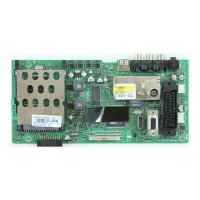
The MB120 DS is a service manual for a main board driven by an MStar SOC, which is a single-chip iDTV solution supporting channel decoding, MPEG decoding, and media-center functionality. It is designed for high-performance AV CODEC and CPU, and supports 4K2K (UHD) resolution.
The main board integrates a comprehensive set of features, including a combo front-end demodulator, a multi-standard A/V format decoder, and the MACEpro video processor. It provides home theatre sound processing, internet and variety of connectivity support, and a dual-stream decoder for IP contents. The device features a multi-purpose CPU for OS and multimedia, along with peripheral and power management capabilities.
The MStar SOC (MSTAR MSD95M0D) is a highly integrated system-on-chip solution for flat panel integrated digital television products. It incorporates MStar's advanced technologies, including the MSD95M0D host, which features the most advanced picture processing engine, MStarACE-PRO3, for video quality tuning. It supports various AV formats, including MPEG decoding, VP decoding, 3D formatter, and security OS. The MSD95M0D also integrates all-purpose AV decoders for DTV/multi-media applications, ATSC/QAM, DVB-T, DVB-C, ISDB-T, DTMB Demodulator, and Sound/Video processors into a single device. It supports HDMI 2.2 / HDM11.4 (FHD) input (1 HDMI default, 1 HDMI opt. with DVI, 1 HDMI opt. with OPS), HDMI 2.2 / HDMI2.0 (UHD) input (1 HDMI default, 1 HDMI opt. with DVI, 1 HDMI opt. with OPS), Displayport1.2a input / 1 DP 1.2a output, 1 PC (VGA) input, 1 YPbPr / Back S-Video, Line In / Line out, 1 Optic S/PDIF output, 1 USB 3.0 / 1 USB 2.0 port, 1 USB2.0 for touchscreen (optional), 1 OPS interface (optional), 1 Extender IR, 1 Dsub9 RS232, 1 RJ45 10/100 Support Ethernet, 1 RJ12 (for service only), Tuner ATV/DVB-T/T2/C (optional), and 4K2K @ 50/100Hz Vby1, FHD@ 50/100Hz LVDS interface.
The main audio amplifier (U8) supports 10W/12W options, driving a pair of 8 ohm, 20W or a single 4 ohm, 40W speaker. It features 16/18/20/24-bit input with I2S, Left-alignment and Right-alignment data format, PSNR & DR(A-weighting) Loudspeaker: 97dB (PSNR), 105dB (DR) @ 24V. Multiple sampling frequencies are supported (Fs): 32kHz / 44.1kHz / 48kHz and 64kHz / 88.2kHz / 96kHz and 128kHz / 176.4kHz/192kHz. The system clock ranges from 64x–256x Fs for 32kHz / 44.1kHz / 48kHz to 64x–256x Fs for 128kHz / 176.4kHz/192kHz. Supply voltage is 3.3V for digital circuit and 10V–26V for loudspeaker driver. Loudspeaker output power for Stereo@ 24V: 10W x 2ch into 8_ @ 0.16% THD+N, 15W x 2ch into 8_ @ 0.18% THD+N, 20W x 2ch into 8_ @ 0.24% THD+N. Loudspeaker output power for Mono@ 24V: 20W x 1ch into 4_ @ 0.17% THD+N, 30W x 1ch into 4_ @ 0.2% THD+N, 40W x 1ch into 4_ @ 0.24% THD+N. Sound processing includes volume control, dynamic range control, power clipping, channel mixing, user programmed noise gate with hysteresis window, and DC-blocking high-pass filter. It also includes anti-pop design, short circuit and over-temperature protection, I2C control interface with selectable device address, internal PLL, LV Under-voltage shutdown and HV Under-voltage detection, power saving mode, and dynamic temperature control.
The headphone amplifier (U59) is a 2-Vrms cap-less stereo line driver, ideal for single supply electronics. It can eliminate output DC-blocking capacitors for better low frequency response and save cost. It delivers 2-Vrms output into a 10k ohm load with 3.3V supply. The gain settings can be set by users from 1V/V to 10V/V externally. It has under voltage protection to prevent POP noise, and built-in shutdown control and de-pop control sequence.
The subwoofer preamplifier (U30) uses AD22657B.
Power stage components include TPS54528, TPS54628, TPS54821, TPS563200, FDS4685, NTGS3446, APL5910, and APL2111H.
Memory includes 2Gb DDR3 SDRAM (Hynix H5TQ2G63GFR), 4Gb DDR3L SDRAM (Hynix H5TQ4G63GFR), and 32Gbit (4G x 8 bit) NAND Flash Memory (MT29F4G08ABAEAWP).
16M-BIT (16M x 1) CMOS Serial Flash EEPROM includes MX25L1606E SPI Flash and M25Q32FV SPI Flash.
STDP4320 (DP1.2 splitter IC) and EP9162S & EPF025R (HDMI 2.0a / HDCP2.2 Splitter IC) are also integrated.
Optional components include OPS - Open Pluggable Specification, Tuner (M88TS2022 Satellite Tuner), Demodulator Stage (MSB1246 DVB-T2), LNB Supply and Control IC (TPS65233), and bq32000 rtc Real-Time Clock.
The MB120 DS is designed for easy integration into digital television products, offering a wide range of connectivity and processing options. The modular design, with optional components like OPS, tuners, and demodulators, allows for flexible configurations to meet specific product requirements. The service manual provides detailed information for troubleshooting and maintenance, ensuring reliable operation.
The service manual includes detailed troubleshooting guides for common issues such as no backlight, staying in stand-by mode, IR problems, keypad/touchpad problems, USB problems, no sound, standby on/off problems, no signal, and real-time clock problems. For backlight problems, check the backlight pin, dimming pin, backlight supply, and standby on/off pin. R89 must be low when the backlight is OFF. If it is a problem, check Q10 and the panel cables. Also, it can be tested in TP137 on the main board. For staying in stand-by mode, check Vcc voltages. A short circuit protect pin should be logic high while normal operation. If a short circuit protect pin is low, unplug the product set and control voltage points with a multimeter to find the shorted voltage to ground. For IR problems, check Extender LED/IR card supply on 17MB120DS chassis. For keypad/touchpad problems, check keypad supply on MB120. For USB problems, check USB supply. It should be nearly 5V. Also, USB Enable should be logic high. For no sound problems, check audio at main TV speaker outputs. Check supply voltages of 24V_VCC, VDD_AUDIO_MAIN and 3.3V_AMP with a voltage-meter. There may be a problem in the headphone connector or headphone detect circuit (when the headphone is connected, speakers are automatically muted). Measure voltage at HP_DETECT pin, it should be 3.3V. For standby on/off problems, if the device cannot boot, TV hangs in standby mode. Check power supply. Main supplies with a voltage-meter. Also, there may be a problem about SW. Try to update TV with the latest SW. Additionally, it is good to check SW printouts via Teraterm. These printouts may give a clue about the problem. You can use RJ12 service socket for teraterm connection. For no signal problems, if there is no signal in OPS mode, check OPS supply voltage 12V_VCC/STBY and OPS_STBY (according to the power board). Check PS_ON signal (R1039) while OPS is being enabled. A pulse width present on the PS_ON shall be detected and responded within 200 ms to ensure successful operation. Check PWR_STATUS signal (R1040); it must be low if Pluggable board is power on state. There may be a SW problem, try to update product with the latest SW. For no signal in TV mode, check tuner supply voltage 3V3_TUNER and tuner options are correctly set in Service menu. Check voltage at TUNER_SCL and TUNER_SDA pin of tuner. For real-time clock problems, if the date/time fails, check RTC supply voltage 3V3_STBY. Also, there may be a problem about backup supply. Check voltage level of C2503.
The manual also includes software update procedures for the main SW, Displayport FW, and HDMI Splitter FW.
 General
| Brand | VESTEL |
|---|---|
| Model | MB120 DS |
| Category | Motherboard |
| Language | English |


 To Next Page