Need help?
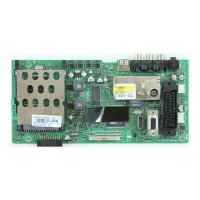
Do you have a question about the VESTEL MB230 IDTV and is the answer not in the manual?
Details the AD82587D digital audio amplifier for stereo speakers.
Describes the AD82586C digital audio amplifier for subwoofer output.
Explains the AD22657B stereo line driver for headphone output.
Switching device for power switch applications.
MOSFET with low RDS(ON) and fast switching speed.
Synchronous buck converter with adaptive on-time control.
Synchronous step-down converter with internal power MOSFETs.
Integrated synchronous step-down converter with 12A output current.
1A ultra low dropout linear regulator.
Procedure for updating the TV's main software via USB.
Diagnosing issues when the TV has no picture and no backlight.
Troubleshooting issues with the Conditional Access (CI) module.
Diagnosing problems with the Infrared (IR) receiver or LED.
Troubleshooting issues with the keypad or touchpad functionality.
Diagnosing issues related to USB port not working or not detected.
Troubleshooting issues with no audio output from the main TV speakers.
Diagnosing issues where the device cannot boot or hangs in standby mode.
Troubleshooting no signal issues in DVB-T/T2/C modes.
 General
| Brand | VESTEL |
|---|---|
| Model | MB230 IDTV |
| Category | Motherboard |
| Language | English |


 To Next Page