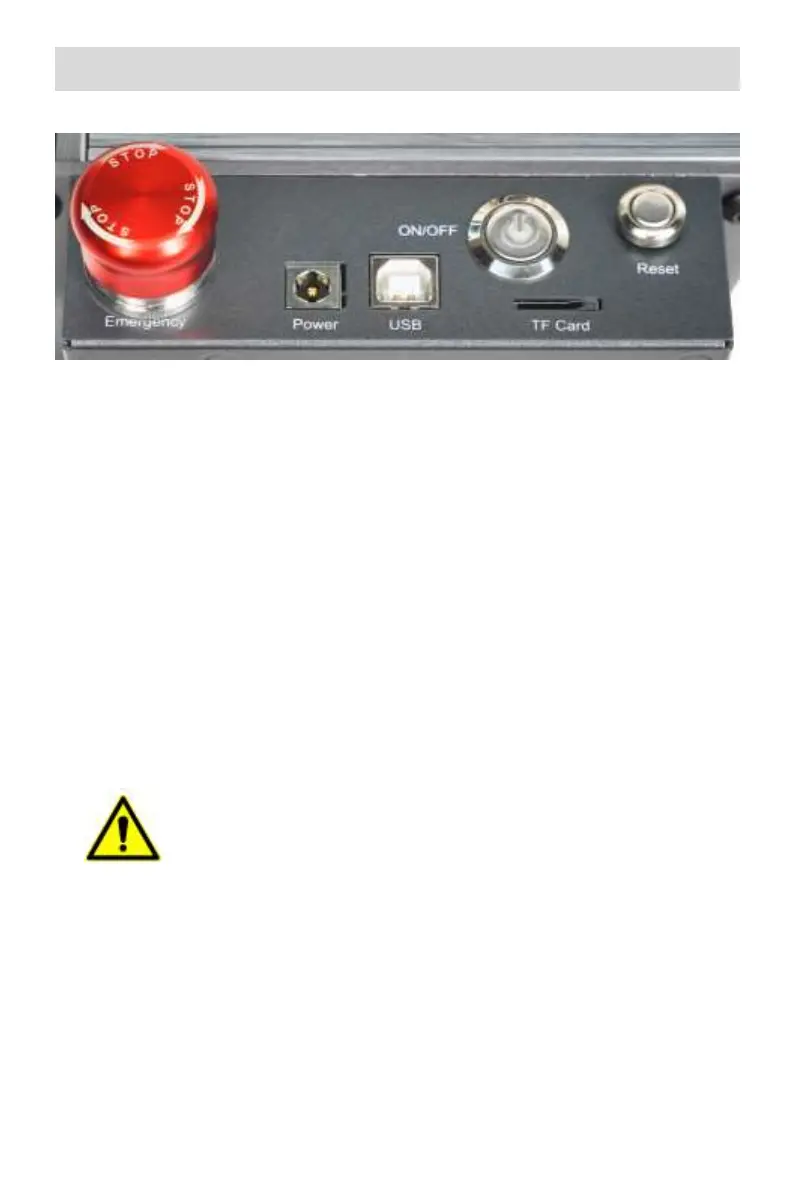
Part 5:Control box description
1.Emergency stop switch:In case of emergencies, the machine will
immediately stop working when you press it. When you need to unlock
it, turn the button clockwise to restart the engraver.
2.Power socket: DC 12V power supply(A7),DC 24V power supply(G3).
3.USB interface: control the engraver on the computer by connecting to
the computer through a USB cable.
4. Power switch: control the power on and off.
5. TF card slot: here to insert the TF card(TF card needs to be
purchased by yourself).
6. Reset switch: When an emergency occurs or the machine is stuck,
press the reset button to restart the engraver.
Before use, please make sure that the emergency stop switch is
in the up state.
1
2
3
4
5
6



 To Next Page