EasyManua.ls Logo

VEVOR ALK-T1 - User Manual

VEVOR ALK-T1
51 pages
Print Icon
To Next Page IconTo Next Page
Loading...
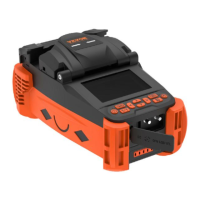
ion Splicer User Manual
Technical Support and E-Warranty Certificate
www.vevor.com/support
OPTICAL FIBER FUSION SPLICER
USR MANUAL
Model: ALK-T1
We continue to be committed to provide you tools with
competitive price. "Save Half", "Half Price" or any other similar
expressions used by us only represents an estimate of savings
you might benefit from buying certain tools with us compared
to the major top brands and doses not necessarily mean to
cover all categories of tools offered by us. You are kindly
reminded to verify carefully when you are placing an order with
us if you are actually saving half in comparison with the top
major brands.

Questions and Answers

  • D
    Douglas GlennAug 5, 2025
    Why is the fiber splicing point quality poor on my VEVOR Power Tool?
    • A
      Ashley HallAug 6, 2025
      If the quality of the fiber splicing point is poor, it might be due to several reasons. First, the fiber may be dusty; in this case, remake the optical fiber and splice again. Second, you might have selected the wrong fiber type or fusion splice program; make sure to choose the correct ones. Also, significant changes in the fusion splice environment can affect the quality; perform 'Arc calibration' to get the right arc intensity. Finally, a broken control equipment can cause the problem; in this case, operate 'Calibrate System'.
  • L
    Lindsey MasonAug 11, 2025
    What to do if VEVOR ALK-T1 shows arc calibration failure?
    • N
      nblevinsAug 11, 2025
      If your VEVOR Power Tool experiences an arc calibration failure, it might be due to environmental factors affecting the arc. If the system indicates that the arc current is too high, try decreasing the splice current and then perform 'Arc calibration'. Conversely, if the arc current is too low, increase the splice current before calibrating. If the issue persists, it is recommended to contact the after sales service department.
  • S
    Sarah MannAug 15, 2025
    How to fix abnormal arc sounds in VEVOR ALK-T1 Power Tool?
    • P
      pyoungAug 16, 2025
      An arc that sounds abnormal on your VEVOR Power Tool is likely due to incorrectly placed electrodes. To resolve this, reinstall the electrode strictly according to the instructions.
  • A
    ashleerodriguezAug 20, 2025
    What to do if VEVOR ALK-T1 Power Tool has arc delay or cannot arc?
    • M
      Melissa ShawAug 20, 2025
      If you are experiencing an arc delay or the system fails to arc on your VEVOR Power Tool, it could be due to a couple of reasons. First, check if the electrodes are incorrectly placed; if so, reinstall them strictly. Second, the electrode tip might be wrapped by monox; clean the electrode tip or replace the electrode.
  • K
    Kendra DominguezAug 26, 2025
    Why does VEVOR Power Tool system crash when arcing?
    • R
      Robert WarnerAug 26, 2025
      If your VEVOR Power Tool's system crashes when arcing, it is likely caused by incorrectly placed electrodes. Ensure that the electrodes are correctly reinstalled.
  • B
    Benjamin BarberAug 30, 2025
    How to troubleshoot optical fiber alignment error on VEVOR ALK-T1 Power Tool?
    • A
      Adam MartinezAug 30, 2025
      Optical fiber alignment errors in your VEVOR Power Tool can stem from a dusty microscope lens, LED lamp, or V-groove. Try cleaning these components. If the problem persists, it may be due to a faulty equipment power system, in which case you should also clean the mentioned components. If cleaning doesn't resolve the issue, it is recommended to contact the after sales service department.

Summary

Safety Warnings and Precautions

General Warnings

Essential warnings regarding power, liquids, and environment to prevent hazards.

General Cautions

Precautions for operating conditions, handling, and environment to prevent equipment damage.

Product Description

Basic Product Parameters

Technical specifications including fiber types, motors, alignment methods, and splicing performance.

Included Configuration Details

List of all accessories included with the fusion splicer and optional items.

Fusion Splicer Components Overview

Identification of key physical parts and interfaces of the fusion splicer unit.

Operation Buttons and Functions

Explanation of the purpose and function of each control button on the device.

Basic Operation Guide

Power Supply Connection

Instructions on connecting the splicer to internal battery or external power adapter.

Power On and Off Procedures

Step-by-step guide for safely powering the fusion splicer on and off.

Main Menu and Shortcut Key Navigation

How to navigate menus and use shortcut keys for efficient device operation.

Preparation Before Splicing

Steps for fiber stripping, cleaving, heat shrink tubing, and fiber placement.

System and Function Settings

Configuration options for display, language, time, and operational functions.

Splicing Operations and Parameters

Guide to selecting splicing programs and adjusting parameters for optimal results.

Splice Result Save and Find

Managing splicing records, including viewing, saving, and querying fault logs.

Heating Operation Guide

Procedure for using the heat shrinkage function on optical fiber.

OPM and VFL Operation

Instructions for using the Optical Power Meter and Visual Fault Locator.

Maintenance Procedures

Equipment Maintenance Menu

Overview of available maintenance tasks like arc correction and electrode cleaning.

Arc Correction Procedure

Steps to perform arc calibration for optimal fusion performance and accuracy.

Electrodes Maintenance

Guidance on cleaning and replacing electrodes to maintain splicing quality.

System Parameter Self-Test

How to conduct a self-test to verify system integrity after hardware or software changes.

Cleaning and General Maintenance

Instructions for cleaning essential parts like V-groove, lens, and heater.

Password Control Functions

Management Options Interface

Accessing settings for validity periods, usage counts, and password management.

Power-on Password Login Interface

Process for entering and managing the device's power-on password.

Warning Information Appendix

Incorrect Fiber Placement Warnings

Issues and solutions for improper positioning of optical fibers in the V-groove.

Fiber Quality and Angle Issues

Troubleshooting fiber head face quality, angle, and overall integrity problems.

Performance Issues and Solutions

Addressing excessive loss, low power, and worn electrodes with corrective actions.

Troubleshooting Guide

Arc and System Malfunctions

Diagnosing and resolving arc issues, system crashes, and calibration failures.

Fiber Alignment and Splicing Quality Issues

Solutions for common problems in fiber alignment, splicing quality, and fused connections.

Interface and Response Errors

Troubleshooting keyboard, screen display, and general system responsiveness problems.

Disposal and FCC Compliance

Product Disposal Guidelines

Environmental disposal requirements for the product and accessories per European directives.

FCC Compliance Statement

Regulatory information regarding FCC rules and operational conditions for the device.

VEVOR ALK-T1 Specifications

General IconGeneral
BrandVEVOR
ModelALK-T1
CategoryPower Tool
LanguageEnglish

Related product manuals