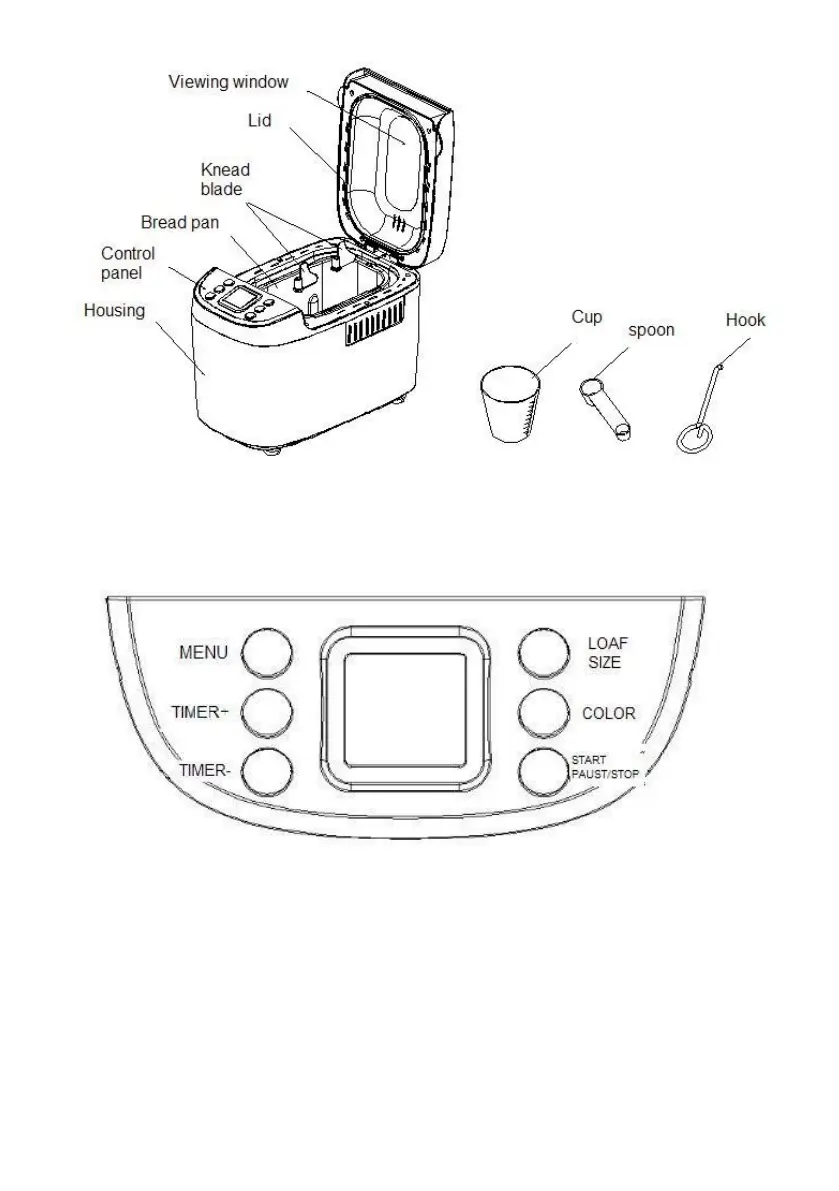
Accessories:knead blade*3,Cup*1, Spoon*1,Hook*1,glove*1
Control panel:
After power-up
As soon as the bread maker is plugged into the power supply, a beep will
be heard and “3:00” will be displayed. But the colon between the “3” and
“00” don’t flash constantly. And “1” is the default program. The arrows point
to “1500g” and “MEDIUM” as they are default settings.
Start/stop
The button is used for starting and stopping the selected baking program.


 To Next Page